#1 Overall Winner
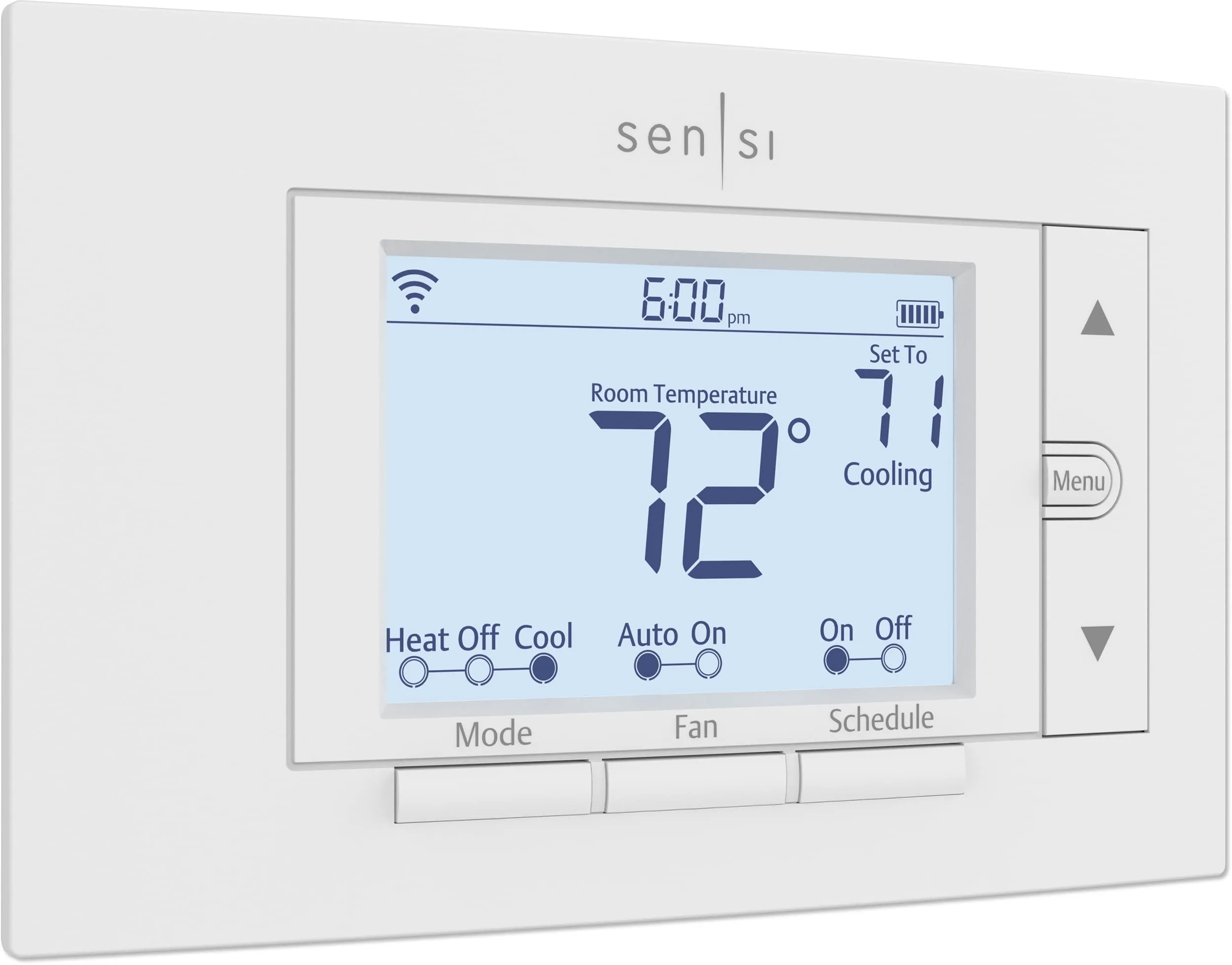
Sensi Smart Thermostat ST55
- Smart thermostat control with remote access via Wi‑Fi and mobile app.
Comparison
The Sensi Smart Thermostat ST55 and TempPro TP50 both help manage home comfort, but they do it in very different ways. Sensi is a Wi‑Fi smart thermostat built to control heating and cooling with scheduling and app access, while the TP50 is a compact thermometer/hygrometer that simply displays temperature and humidity readings. If you need HVAC control and smart-home features, Sensi fits; if you mainly want low-cost monitoring, TP50 is the simpler choice.
#1 Overall Winner
Contender
Choose the Sensi ST55 if you want smart thermostat control (schedules, app access, and voice assistants) and your HVAC system is compatible. Choose the TempPro TP50 if you only need a compact, inexpensive way to monitor temperature and humidity around the home. They can also complement each other: one controls the system, the other helps validate room conditions.
Overall winner
Depends on your needs
| Feature | Sensi Smart Thermostat ST55 | TempPro TP50 Digital Hygrometer Indoor Thermometer | Winner |
|---|---|---|---|
| Product type | Smart thermostat (HVAC controller) | Digital thermometer/hygrometer (monitor) | Depends |
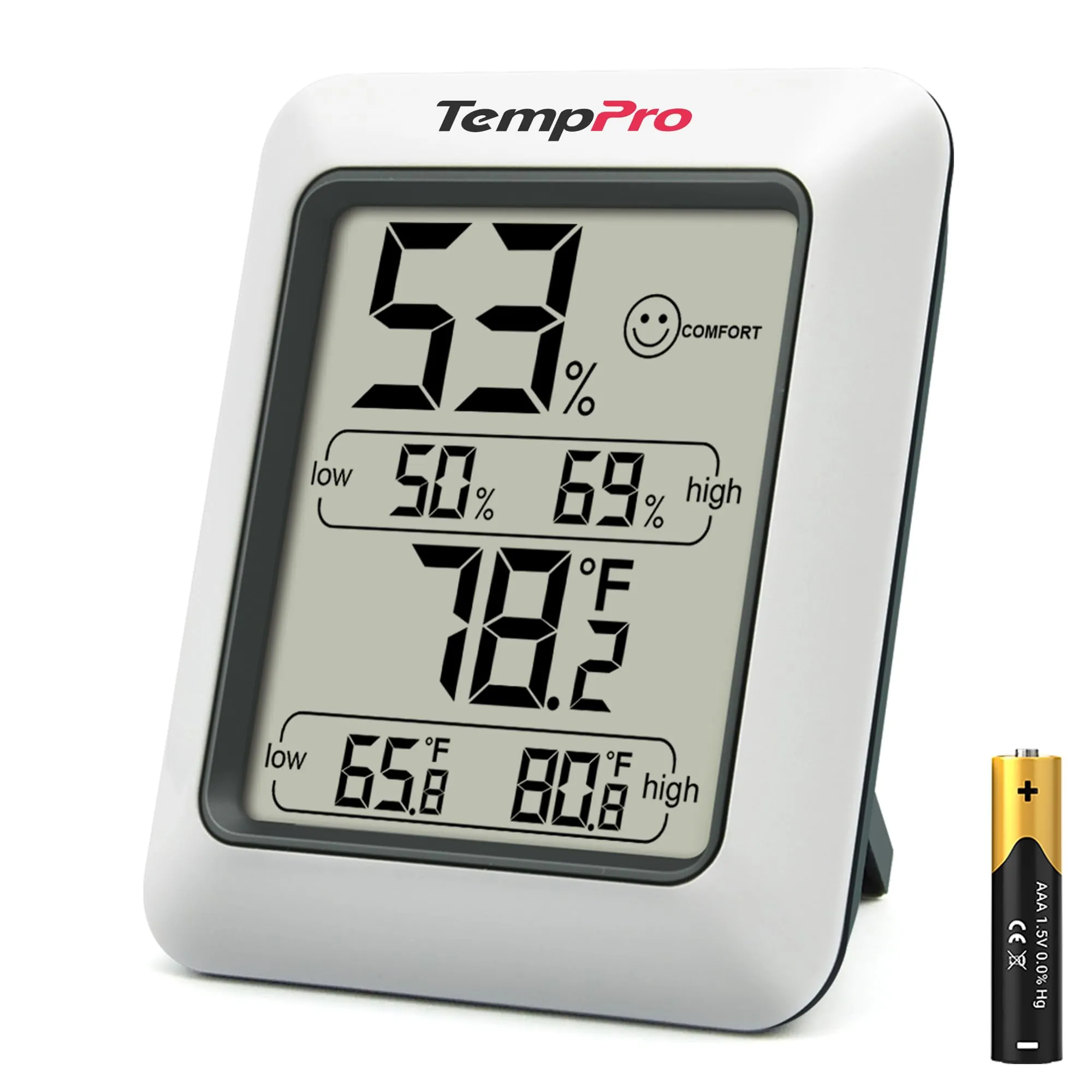
| Primary purpose | Control heating/cooling with schedules and remote access | Display temperature & humidity with high/low records | Depends |
| Smart home support | Works with Alexa, Google Assistant, SmartThings, Vera | Not smart home compatible | Sensi Smart Thermostat ST55 |
| Connectivity | Wi‑Fi + mobile app | No connectivity | Depends |
| Installation / setup | Wall mount; app-guided wiring and configuration | Insert battery; place on stand or use magnet | TempPro TP50 Digital Hygrometer Indoor Thermometer |
| Humidity measurement | Not stated as a humidity sensor | Humidity monitoring with DRY/COMFORT/WET indicator | TempPro TP50 Digital Hygrometer Indoor Thermometer |
| Automation capability | Scheduling, remote access, usage reports, reminders | No automation (manual monitoring only) | Sensi Smart Thermostat ST55 |
| Display readability | 5-inch LED display with backlight | Large at-a-glance display (no backlight noted) | Sensi Smart Thermostat ST55 |
| Portability | Low (installed thermostat) | High (small, light; stand/magnet) | TempPro TP50 Digital Hygrometer Indoor Thermometer |
| Space efficiency | Fits traditional thermostat space | Very compact device | Tie |
| Common concerns from buyers | Mixed Wi‑Fi connectivity; some guidance gaps | Some reports of failing after months; night readability complaints | Depends |
| Upfront price | Higher-priced device | Budget-priced device | TempPro TP50 Digital Hygrometer Indoor Thermometer |
In everyday home use, these products support comfort in different ways. The Sensi ST55 is meant to become part of your home’s heating/cooling system—helping you keep consistent temperatures through schedules, remote adjustments, and reminders that support HVAC upkeep. The TempPro TP50 is better thought of as a “spot checker” for rooms that feel too dry, damp, hot, or cold, letting you see both current conditions and recent extremes.
If your household wants hands-off temperature management, Sensi is the practical tool. If you mainly want visibility into what’s happening in problem areas (like a basement or bedroom), TP50 is the faster, simpler addition.
For climate and comfort, the Sensi ST55 focuses on controlling your HVAC system (heating/cooling modes, scheduling, remote access, and system-related reminders). It’s a good fit when your goal is consistent comfort without constantly walking to the thermostat. The TempPro TP50 improves comfort indirectly by measuring both temperature and humidity, which is useful when deciding whether to run a humidifier/dehumidifier or when troubleshooting a room that feels off.
In short: Sensi changes comfort; TP50 explains it. Many homes can benefit from using a monitor like the TP50 to verify conditions in rooms that don’t match the thermostat’s reading.
For core performance, the Sensi ST55 is the better performer when the task is “run the HVAC system the way I want,” thanks to scheduling, remote access, and system-focused reporting and alerts. Reviews emphasize that it can be set up quickly and then reliably used day to day, although there are mixed reports on Wi‑Fi staying connected for some households.
The TempPro TP50 performs well for its intended role: giving quick, readable temperature and humidity measurements with a frequent refresh and high/low tracking. It doesn’t compete on HVAC control because it isn’t designed for that job.
Reliability depends on what you consider “failure.” With the Sensi ST55, the most common reliability risk in feedback is connectivity—some households report Wi‑Fi issues or units stopping connecting, which can reduce remote-control usefulness (even if basic thermostat operation still works). With the TempPro TP50, the aggregated review summary flags durability and reports of devices stopping after about six months, which is a more direct “device no longer works” issue.
If you want reliability through simplicity, TP50’s lack of Wi‑Fi helps. If you want reliable smart control, Sensi can be strong but is more dependent on a stable network setup.
For climate control, the Sensi ST55 is the clear choice because it is built to manage HVAC equipment (AC, boiler, furnace, heat pump) with programmable control and remote access. The TP50 cannot control heating/cooling; it only measures. Where TP50 still helps is diagnosis—spot-checking rooms where temperatures differ from the thermostat location, and monitoring humidity changes that affect comfort.
If you need active control of your system, Sensi wins. If you need an extra sensor-like readout in a specific space, TP50 is a helpful add-on.
Neither product is a high-risk appliance like a heater, but safety still matters in installation and placement. With the Sensi ST55, safe use depends on correct HVAC compatibility and correct wiring during installation, so it’s important to follow the app steps and verify system type before changing settings. The TP50 is a small battery-powered monitor; the main practical safety consideration is basic battery handling and keeping the device away from moisture or extreme conditions beyond typical indoor use. No additional safety certifications or protections are provided in the data, so safety comparisons mainly come down to proper installation (Sensi) versus simple placement (TP50).
The Sensi ST55 can improve comfort through consistent scheduling and the ability to adjust settings remotely before you arrive home, which helps avoid hot/cold swings. The TP50 improves comfort by making the invisible visible—especially humidity—so you can respond to dryness or dampness and keep rooms in a more comfortable range. If your comfort goal is “set it and forget it,” Sensi is stronger. If your comfort goal is “understand problem rooms,” TP50 is the more direct tool.
Both are easy to use, but in different ways. The TP50 is the simplest: insert the AAA battery and place it where you want—no pairing, no app, and no learning curve. The Sensi ST55 is also frequently described as DIY-friendly, with app-guided steps and familiar button controls, but it still requires HVAC wiring work and (for full functionality) app/account setup. If you want minimal setup, TP50 wins; if you want guided smart-thermostat setup, Sensi is well suited.
The Sensi ST55 is designed to look and feel like a traditional thermostat, with physical buttons, an LED display, and sizing meant to fit the same wall space—helpful if you don’t want to patch or paint. The TP50 design is minimalist and flexible: small footprint, easy-to-read display, and placement options via stand or magnet. If you want a clean wall-thermostat replacement, Sensi makes more sense; if you want a compact monitor you can move around, TP50 is the more flexible design.
Both are space-efficient, but in different ways. The Sensi ST55 is designed to fit in the space of a traditional thermostat, which helps avoid wall repairs and keeps it visually tidy. The TP50 is extremely compact and can sit on a small surface or attach to a fridge or metal surface with its magnet. For countertop/shelf space, TP50 takes less room; for a clean “built-in” look, Sensi is more integrated.
Neither device is typically a noise source in the home. The Sensi ST55 is a wall thermostat with no described fan or motor, and the TP50 is a silent display monitor. In most households, noise won’t be a deciding factor between these two.
Installation is where these products differ most. The TempPro TP50 is essentially instant to set up: insert the included AAA battery and place it using the stand or magnetic back. The Sensi ST55 is designed for DIY installation and includes mounting hardware and app instructions, but it still requires removing an existing thermostat, labeling wires, and confirming HVAC compatibility and configuration. Many users find it straightforward, yet some note that certain system settings may require extra online guidance.
Both products are compact, plastic-bodied home devices, and neither listing emphasizes premium materials. Buyer feedback for the TP50 often calls the build reliable for the price, but durability concerns show up as a repeated theme, including reports of devices stopping after months. The Sensi ST55’s main negatives are less about physical breakage and more about connectivity and setup clarity, though overall build impressions are more “adequate” than standout.
Long-term durability signals are stronger for the Sensi ST55 than the TP50 based on the provided review summary themes. TP50 has repeated mentions of units failing after months, suggesting more variability in lifespan. Sensi’s recurring complaints focus more on connectivity and configuration guidance than outright device failure. That said, both are plastic-bodied electronics, and real-world longevity can vary with placement, battery changes, and household conditions.
The TP50 has very light maintenance: replace the AAA battery when needed and keep the unit clean and dry. The Sensi ST55 has more “maintenance features” than maintenance burden: it can provide reminders like filter replacement and deliver usage reports, which can help keep HVAC upkeep organized. Day to day, once installed, Sensi can be low effort, but it may require occasional app/Wi‑Fi troubleshooting in homes that experience connectivity drops.
The TempPro TP50 is highly portable: it’s small, lightweight, and easy to move between rooms, basements, greenhouses, or storage areas. The Sensi ST55 is not portable in practical terms because it is wall-mounted and tied to HVAC wiring. If you want something you can reposition as needed, TP50 is the clear choice.
The Sensi ST55 has a broader feature set: app-based setup, flexible scheduling, remote access, usage reports, equipment alerts, and maintenance reminders. It also supports voice assistants and multiple smart-home platforms. The TP50’s features are intentionally basic but practical: temperature and humidity readings, a DRY/COMFORT/WET indicator, high/low records, and flexible placement with a stand and magnet.
If you want automation and control, Sensi offers more. If you want a simple “what’s the temp and humidity right now?” display, TP50 keeps it straightforward.
The Sensi ST55 includes a mobile app that guides installation and supports scheduling and remote temperature changes. Reviews highlight an intuitive schedule setup and convenient control when away from home. The TP50 has no app experience by design; all information is on the device display. If you want app-based control and configuration, Sensi is the only option here. If you prefer a device that works without accounts or software, TP50 fits better.
The Sensi ST55 is built for smart-home use, with Wi‑Fi app control and compatibility with Alexa, Google Assistant, SmartThings, and Vera. That makes it more suitable for voice control and routines tied to occupancy or time-of-day schedules (as supported by the thermostat’s scheduling features). The TempPro TP50 is explicitly not smart-home compatible and has no app, so it stays a standalone display with manual interpretation.
The Sensi ST55 supports smart-home workflows because it connects over Wi‑Fi, works with major voice assistants, and uses an app for scheduling and remote changes. That makes it suitable for routines like lowering temperatures overnight or changing setpoints while away. The TP50 does not support smart-home features at all—no app, no integrations, and no automation—so it’s limited to manual check-ins. If smart control and integrations matter, Sensi is the practical choice.
The Sensi ST55 supports automation through programmable schedules and app-based control, plus features like reminders and reports that help keep HVAC routines consistent. The TP50 has essentially no automation—it refreshes readings and stores high/low values, but it can’t trigger actions or run schedules. For hands-off comfort management, Sensi is the clear winner.
Connectivity is a major divider. The Sensi ST55 uses Wi‑Fi for app control and voice-assistant integration, and while many users report quick setup and stable operation, aggregated feedback also notes mixed Wi‑Fi experiences, including some units that stop connecting. The TP50 has no connectivity—so there’s nothing to pair, no network dependence, and no remote monitoring. If you want remote access, Sensi is required; if you want zero connectivity hassle, TP50 is simpler.
The Sensi ST55 is positioned around efficiency through scheduling, remote access, and usage reports that help you manage HVAC runtime and habits; it’s also listed as ENERGY STAR certified. The TP50 doesn’t directly save energy because it doesn’t control equipment, but it can support more efficient choices by showing when humidity or temperature is drifting (for example, helping you avoid over-running a humidifier/dehumidifier or overheating a basement).
For direct HVAC efficiency features, Sensi has the advantage; for “information to guide decisions,” TP50 can still be useful.
Privacy is only meaningfully addressed for the Sensi ST55. It is positioned as privacy-focused, stating it won’t sell personal information to third parties, and it uses a mobile app and Wi‑Fi connection for remote access. The TP50 has no connectivity or app, so it does not create an account-based data trail in normal use. If you prefer a device with no data sharing considerations at all, TP50’s offline design is inherently simpler; if you want smart control with stated privacy positioning, Sensi is the relevant option.
Value depends on what you’re trying to accomplish. The TempPro TP50 is inexpensive and widely viewed as good value because it delivers quick temperature and humidity readings, high/low records, and flexible placement with almost no setup time. The trade-off is durability concerns and the lack of any control or remote features.
The Sensi ST55 costs more, but it can replace a basic thermostat and add scheduling, remote access, reports, and integrations—features that can justify the price if you’ll use them. If you only need readings, Sensi is overkill; if you want smart control, TP50 can’t substitute.
Based on the provided data, Emerson positions Sensi around long-standing HVAC experience and includes a defined smart-thermostat ecosystem (app, integrations, and system features). TempPro has very strong volume of customer feedback and a straightforward product, and it notes a branding transition (ThermoPro to TempPro) with otherwise similar products. Trust-wise, Sensi’s credibility hinges on consistent app/connectivity experience; TempPro’s hinges more on long-term durability consistency.
Both products show strong buyer sentiment overall, but the reasons differ. Sensi ST55 buyers repeatedly praise easy installation, simple programming, and the convenience of app control plus Alexa/Google integration; the most common negative theme is mixed Wi‑Fi connectivity, with some reports of units stopping connecting. TempPro TP50 buyers frequently praise accuracy, readability, and value, with many using it for basements, greenhouses, and other monitoring needs. The recurring complaint is durability, with multiple customers reporting failures after months.
Neither product is a universal “winner” because they address different needs. The Sensi Smart Thermostat ST55 is the better choice for households that want real HVAC control with smart features—its main strengths are ease of use, scheduling, and integrations, while its main drawbacks are mixed Wi‑Fi connectivity reports and occasional setup guidance gaps for certain systems. The TempPro TP50 is the better choice for affordable temperature-and-humidity monitoring—its main strengths are simplicity, readability, and value, while its main limitation is that it can’t control anything and durability is a recurring concern.
If you want to change comfort automatically, choose Sensi. If you want to understand conditions in specific rooms (especially humidity), choose TP50.
Overall winner
Depends on your needs
They serve different jobs. The Sensi ST55 is for controlling your HVAC system with scheduling, remote access, and smart-home integrations. The TempPro TP50 is a simple temperature and humidity monitor that helps you understand conditions but can’t change heating or cooling. If you need control, choose Sensi; if you only need readings, choose TP50.
No. The TP50 is a digital thermometer/hygrometer that displays temperature and humidity (plus high/low records). It does not connect to HVAC wiring and has no smart-home or automation features, so it can’t change your thermostat settings. It’s best used as a room monitor to guide decisions like running a humidifier or dehumidifier.
Most feedback points to an easy DIY process, helped by the step-by-step app instructions and built-in level. That said, a few users mention that certain HVAC setups may require additional configuration not fully covered by the in-box instructions. It helps to confirm your HVAC type before starting and to use the brand’s documentation for system-specific settings.
For pure monitoring in a small space, the TP50 is easier to place (small, lightweight, and can sit on a surface or attach with its magnet). For actually controlling comfort, the Sensi ST55 is the stronger choice if you have a compatible HVAC system and want schedules and app control. The right pick depends on whether you need control or just visibility.
The Sensi ST55 supports voice control and lists compatibility with Amazon Alexa and Google Assistant, plus platforms like SmartThings and Vera. The TempPro TP50 is not smart-home compatible and does not connect to Wi‑Fi, so it can’t be used with voice assistants or smart-home routines.
The TP50 avoids connectivity issues because it has no app or Wi‑Fi, but aggregated feedback does flag durability concerns, including reports of units failing after months. The Sensi ST55 is generally praised for everyday usability, but buyers report mixed Wi‑Fi experiences, including some units having trouble staying connected. Day-to-day reliability depends on whether you prefer “no connectivity” simplicity or smart features.
The TP50 is minimal: replace the AAA battery when needed and wipe it if dusty. The Sensi ST55 can be low-effort in daily use once installed, but it’s tied to HVAC control, app usage, and Wi‑Fi. It also includes maintenance reminders (like filter replacement), which can help with upkeep, but it’s more involved than a basic monitor.
If you only want to see readings, the TP50 is the more direct fit because it measures both temperature and humidity and includes high/low records. The Sensi ST55 is designed to control heating/cooling and provide app-based scheduling and usage information. It’s better suited when you want active HVAC control rather than just monitoring.
Check our rankings and expert guides to find the best home lifestyle products for your goals.