
HouseholdRanker
Menu
Honeywell Home RTH9585WF1004 vs TempPro TP50

Comparison

Honeywell Home RTH9585WF1004 vs TempPro TP50

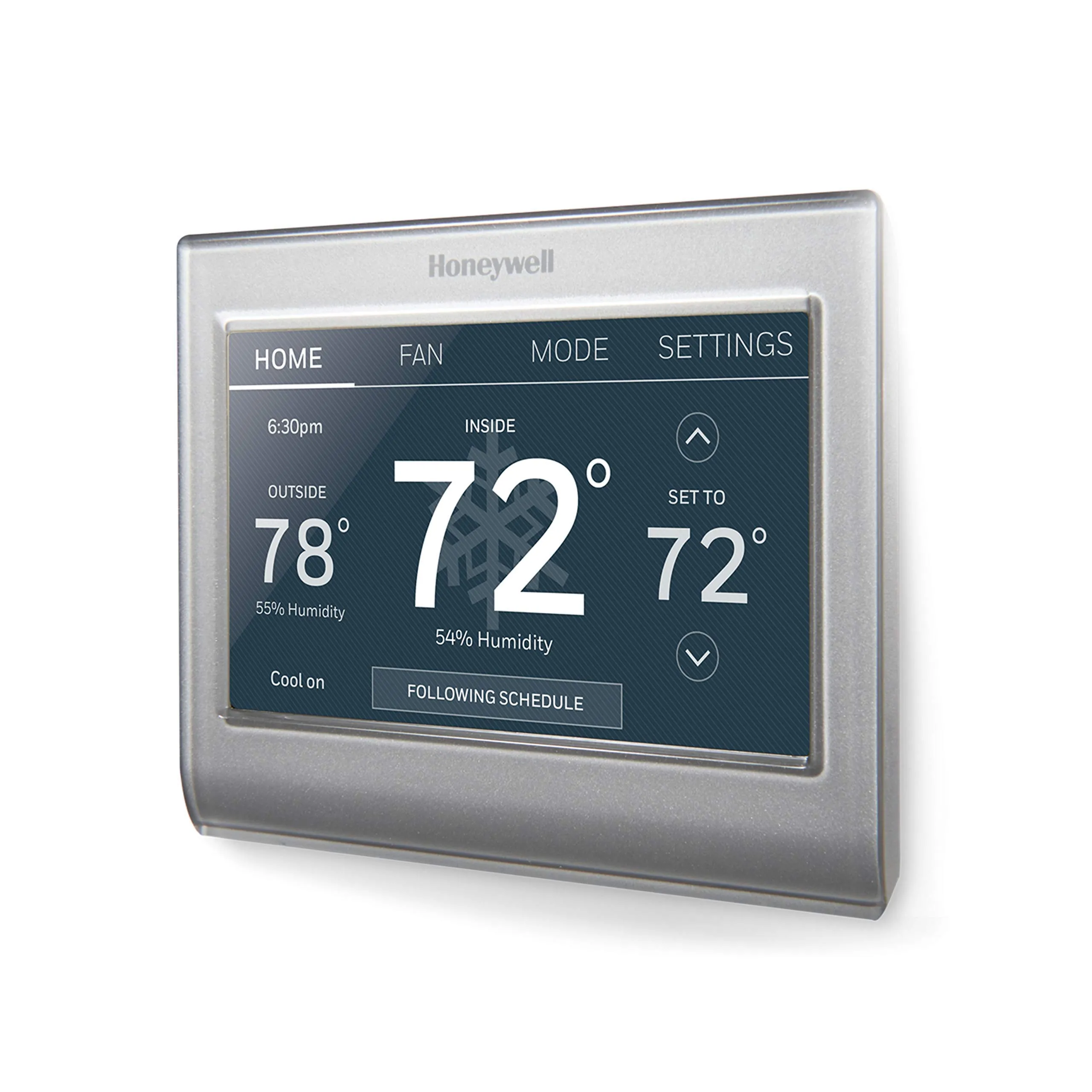
The Honeywell Home RTH9585WF1004 and TempPro TP50 both help you understand indoor comfort, but they serve very different roles. Honeywell is a Wi‑Fi smart thermostat that controls compatible heating and cooling systems with scheduling and voice/app control. TempPro TP50 is a compact temperature and humidity monitor that’s easy to place anywhere, but it doesn’t control HVAC.

Expert tested Data driven Unbiased reviews Updated 18 May 2026
Honeywell Home RTH9585WF1004 Wi-Fi Smart Color Thermostat

#1 Overall Winner

Honeywell Home RTH9585WF1004 Wi-Fi Smart Color Thermostat

79/100
  • Wi-Fi connected thermostat with remote control via mobile app and web access
View review
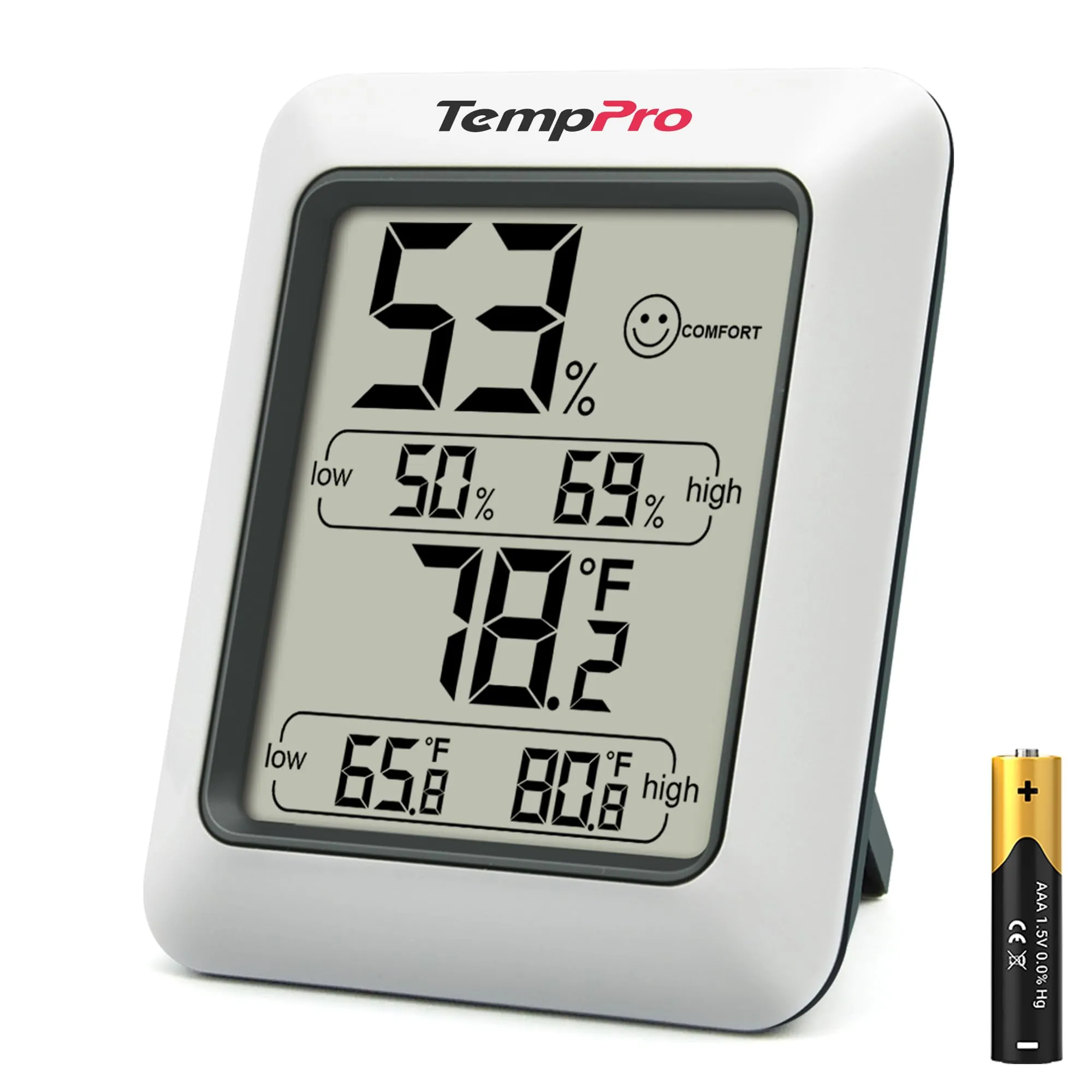
TempPro TP50 Digital Hygrometer Indoor Thermometer

Contender

TempPro TP50 Digital Hygrometer Indoor Thermometer

86/100
  • Very simple temperature and humidity monitoring that works out of the box
View review

Quick verdict

Choose the Honeywell Home RTH9585WF1004 if you want to control your HVAC from your phone or via Alexa/Google Home, and your system is compatible (including a C-wire). Choose the TempPro TP50 if you just need a low-cost, easy-to-read temperature/humidity display you can place anywhere to diagnose dryness or dampness.

Overall winner

Depends on your needs

At-a-glance comparison

Feature Honeywell Home RTH9585WF1004 Wi-Fi Smart Color Thermostat TempPro TP50 Digital Hygrometer Indoor Thermometer Winner
Product type Wi‑Fi smart thermostat (HVAC control) Digital thermometer/hygrometer (monitor only) Depends
Primary job Controls heating and cooling schedules and setpoints Displays temperature and humidity readings Depends
Smart home support Alexa and Google Home support; app/web control Not smart home compatible Honeywell Home RTH9585WF1004 Wi-Fi Smart Color Thermostat
Connectivity Wi‑Fi None Honeywell Home RTH9585WF1004 Wi-Fi Smart Color Thermostat
Automation & scheduling 7‑day programmable; holds; auto changeover No scheduling; stores high/low records Honeywell Home RTH9585WF1004 Wi-Fi Smart Color Thermostat
Humidity information Shows humidity and can send humidity-related alerts Measures humidity and shows DRY/COMFORT/WET plus high/low Depends
Installation effort Wall install; C‑wire required; setup can be fiddly Battery insert and place; magnet/stand TempPro TP50 Digital Hygrometer Indoor Thermometer
Portability Wall-mounted Pocketable/room-to-room; magnetic back TempPro TP50 Digital Hygrometer Indoor Thermometer
Space efficiency Compact wall footprint Very compact desktop/fridge placement TempPro TP50 Digital Hygrometer Indoor Thermometer
App experience App available (some users want more options) No app Honeywell Home RTH9585WF1004 Wi-Fi Smart Color Thermostat
Compatibility limits Not for electric baseboard (120–240V); check HVAC type and C-wire Works as a standalone monitor in many locations TempPro TP50 Digital Hygrometer Indoor Thermometer
Value for money (based on price + feedback) Higher cost; value feedback is mixed Low cost; value feedback is strongly positive TempPro TP50 Digital Hygrometer Indoor Thermometer
Customer satisfaction (based on rating volume/sentiment) Strong volume; generally positive with some mixed reliability/value notes Very large volume; broadly positive with durability caveats TempPro TP50 Digital Hygrometer Indoor Thermometer
Long-term durability (based on reviews) Mixed reliability reports; install-related issues noted Multiple reports of failure after months Depends

Detailed comparison

Home Use

For everyday home use, these products fit different routines. The Honeywell thermostat becomes part of your home’s “comfort infrastructure” by controlling heating and cooling on a schedule and letting you adjust settings remotely. The TempPro TP50 is more of a diagnostic tool: it helps you spot dry rooms, damp basements, or temperature swings, and it’s easy to move around the home to compare spaces.

Climate Comfort

Both products support climate comfort, but in different ways. The Honeywell directly affects comfort by controlling heating and cooling and by offering scheduling, holds, and auto heat/cool changeover. It also surfaces indoor humidity and can notify you about extreme conditions. The TempPro improves comfort indirectly by helping you monitor humidity and temperature so you can decide when to run a humidifier, dehumidifier, or adjust airflow. If comfort problems vary by room, TempPro’s portability can be a practical advantage.

Performance

For its primary job—controlling HVAC—Honeywell performs as a capable smart thermostat with features like auto changeover and Smart Response-style behavior described in the listing, and many reviews report accurate temperature control and dependable day-to-day operation. However, performance can be impacted by installation challenges and compatibility constraints (such as needing a C-wire and not supporting certain electric baseboard setups).

TempPro’s performance is about measurement: buyers commonly report readings that track closely to other devices and like the fast updates and max/min records. It won’t improve temperature or humidity on its own, but it can help you make better adjustments with other equipment.

Reliability

Reliability feedback is more mixed for the Honeywell thermostat than for the TempPro monitor. Many owners report stable operation and dependable connectivity, but there are also reports of units not functioning properly, plus installation-related pitfalls (like delicate terminals) that can cause problems if wiring isn’t seated correctly. TempPro is commonly described as dependable day to day and accurate, but its reliability risk shows up later: multiple customers report the device stopping after around six months, even though others report years of use. Your tolerance for potential early failure vs installation complexity should guide the choice.

Climate Control

Honeywell is the true climate-control device here: it’s built to control compatible heating and cooling systems (including heat pumps with electric backup, per the listing) and can automatically switch between heating and cooling. TempPro provides climate visibility rather than control, measuring temperature and humidity with frequent updates and tracking extremes. If you want to stabilize the whole home through HVAC control, Honeywell is the better fit; if you’re troubleshooting humidity swings or temperature variations room by room, TempPro is a practical companion.

Honeywell Home RTH9585WF1004 Wi-Fi Smart Color Thermostat

Pros

  • Wi-Fi connected thermostat with remote control via mobile app and web access
  • Works with Amazon Alexa and Google Home for voice control
  • Customizable color touchscreen with on-device weather display and readable interface
  • Flexible scheduling options plus temporary/permanent/vacation hold options
  • Auto changeover between heating and cooling for mixed-season comfort
  • Helpful alerts and reminders (e.g., filter and humidifier pad change reminders, extreme temperature/humidity alerts)
  • Energy tracking features (monthly energy reports and tips) and Energy Star certification

Cons

  • Requires a C-wire and is not compatible with electric baseboard heat (120–240V)
  • Installation can be fiddly; reviewers mention delicate wire terminals and limited working room
  • App experience is mixed, with some wishing more settings could be changed without using the thermostat
  • Reliability feedback is mixed, with some reports of units not functioning properly
  • Humidity readings may not match other meters in some homes, based on user reports
  • Wi-Fi setup/registration can take time and requires an account
Honeywell Home RTH9585WF1004 Wi-Fi Smart Color Thermostat

TempPro TP50 Digital Hygrometer Indoor Thermometer

Pros

  • Very simple temperature and humidity monitoring that works out of the box
  • Fast refresh cadence (updates frequently) for noticing changing conditions
  • High/low records for both temperature and humidity to track daily extremes
  • Easy-to-read display with a quick “dry/comfort/wet” indicator
  • Flexible placement with tabletop stand and magnetic back
  • Compact, lightweight, and easy to move between rooms
  • Strong buyer sentiment for value and day-to-day usefulness

Cons

  • Not a thermostat: it monitors conditions but does not control heating/cooling equipment
  • No smart home compatibility, app, Wi-Fi, or remote monitoring
  • No backlight mentioned; some reviewers find it hard to see at night
  • Durability is a recurring concern, with multiple reports of failure after around six months
  • Accuracy can vary slightly versus other reference devices depending on placement and airflow
TempPro TP50 Digital Hygrometer Indoor Thermometer

Final verdict

This matchup is less about which product is “better” and more about what you’re trying to accomplish. The Honeywell Home RTH9585WF1004 is the stronger choice when you need real HVAC control: it brings Wi‑Fi access, voice assistant support, flexible programming, and helpful reminders/alerts. Its biggest drawbacks are compatibility and setup friction (C-wire requirement, delicate wiring terminals) plus mixed reliability/value feedback.

The TempPro TP50 is a standout for simple temperature and humidity monitoring: it’s compact, readable, quick to deploy, and widely praised as good value. Its main limitation is that it can’t control anything—and durability is the key concern in buyer feedback, with some devices failing after months. Choose Honeywell for control and automation; choose TempPro for low-cost, portable visibility.

Overall winner

Depends on your needs

Frequently asked questions

Which is better, Honeywell Home RTH9585WF1004 or TempPro TP50?

They solve different problems. The Honeywell Home RTH9585WF1004 is a full thermostat designed to control compatible heating and cooling systems with scheduling, app access, and voice assistant support. The TempPro TP50 is a simple indoor thermometer/hygrometer that monitors temperature and humidity but cannot control your HVAC. Choose based on whether you need control or just measurement.

Can the TempPro TP50 control my heater or air conditioner?

No. The TempPro TP50 is a temperature and humidity monitor only. It displays current readings and tracks high/low records, but it does not connect to HVAC equipment, does not offer scheduling, and has no app or smart home integration. If you need to adjust heating/cooling automatically, you’ll want a compatible thermostat like the Honeywell.

Does the Honeywell RTH9585WF1004 require a C-wire?

Yes, the product details state a C-wire is required. Before buying, it’s worth confirming your existing thermostat wiring and HVAC compatibility. Reviews also mention that setup can take some finesse at the wall plate, so checking wiring and having the manual handy can reduce frustration during installation.

Which one is easier to set up?

The TempPro TP50 is typically easier: insert the included AAA battery, place it on a surface or use the magnet, and it starts showing readings. The Honeywell thermostat is a wired wall installation and may require Wi‑Fi setup and account registration. Reviews describe the wiring terminals as delicate, so installation can be more involved.

Which product is better for monitoring humidity problems in a basement?

For simple humidity troubleshooting, the TempPro TP50 fits well because it shows humidity at a glance, includes a dry/comfort/wet indicator, and stores high/low records. The Honeywell can display humidity and provide alerts and reminders, but it’s primarily meant to control HVAC rather than being a portable sensor you can move around to compare rooms.

Do either of these work with smart home voice assistants?

The Honeywell Home RTH9585WF1004 supports voice control and is described as working with Amazon Alexa and Google Home, in addition to app and web control. The TempPro TP50 is listed as not smart home compatible and does not offer Wi‑Fi, apps, or integrations.

Are there reliability or durability concerns to know about?

Buyer feedback is mixed for the Honeywell thermostat: many report it works well, but there are also reports of units not functioning properly, and installation issues can contribute to early problems. For the TempPro TP50, many customers praise accuracy and value, but multiple reviews mention the device stopping after several months, which is the main durability concern.

Which is better for small spaces like bedrooms or offices?

If you just want a small device to read temperature and humidity, the TempPro TP50 is compact, portable, and easy to place on a desk or fridge. If you want to actually control heating and cooling in that space, the Honeywell makes more sense—but only if the space’s HVAC wiring and system type are compatible and you’re comfortable with a wall installation.

Related comparisons

Still not sure which one to choose?

Check our rankings and expert guides to find the best home lifestyle products for your goals.

View all rankings