#1 Overall Winner
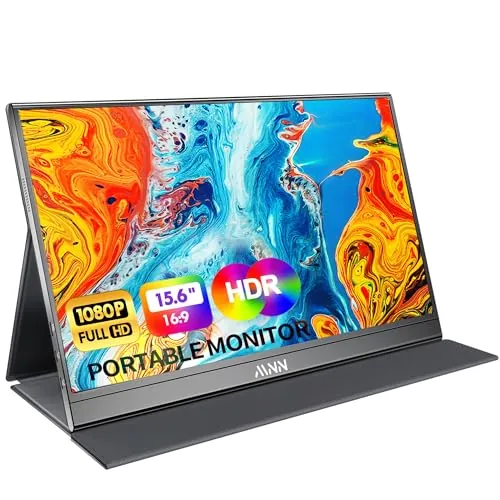
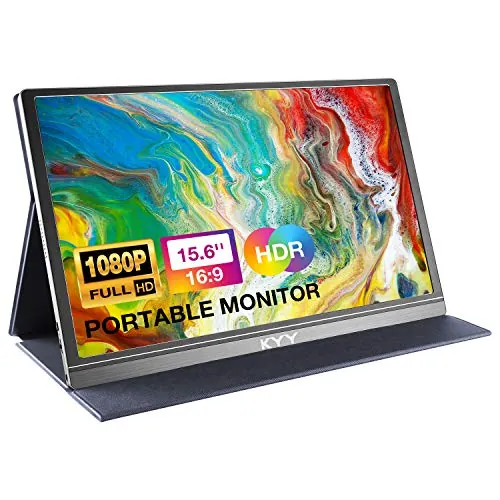
MNN Portable Monitor 15.6inch FHD 1080P (M156F01)
- Crisp Full HD 1080p 15.6-inch IPS matte display with wide viewing angles for work and travel use.
Comparison
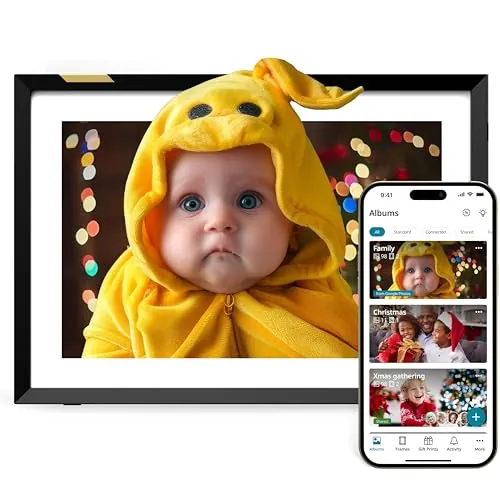
The MNN 15.6-inch portable monitor is built to extend a laptop/phone/console screen over USB‑C or HDMI, while the Nixplay 10.1-inch digital picture frame is designed for Wi‑Fi photo and video sharing at home. MNN is the more practical pick for productivity and travel, whereas Nixplay makes more sense for gifting and keeping family photos updated remotely.
#1 Overall Winner
Contender
Choose the MNN portable monitor if you want a second screen for a laptop or console and care most about portability and simple wired setup. Choose the Nixplay frame if your goal is to display and share family photos/videos over Wi‑Fi, especially as a gift for someone who won’t manage files and cables regularly.
Overall winner
Depends on your needs
| Feature | MNN Portable Monitor 15.6inch FHD 1080P (M156F01) | Nixplay Digital Picture Frame 10.1" HD Touch Screen (W10P) | Winner |
|---|---|---|---|
| Primary purpose | Portable external monitor for work/gaming | Digital photo frame for shared memories | Depends |
| Screen size | 15.6-inch | 10.1-inch | MNN Portable Monitor 15.6inch FHD 1080P (M156F01) |
| Resolution | 1920×1080 (FHD) | 720p | MNN Portable Monitor 15.6inch FHD 1080P (M156F01) |
| Connectivity type | USB‑C (2 ports) + mini HDMI | Wi‑Fi | Depends |
| Touchscreen | Not specified | Touchscreen | Nixplay Digital Picture Frame 10.1" HD Touch Screen (W10P) |
| Power approach | 5V; often powered via USB‑C from device (per reviews) | Corded electric | Depends |
| Portability | Very travel-friendly; 1.53 lb; cover/stand | Light frame (1.1 lb) but corded/home-oriented | MNN Portable Monitor 15.6inch FHD 1080P (M156F01) |
| Ease of setup (typical) | Plug-and-play over USB‑C/HDMI (device dependent) | Guided setup with app and Wi‑Fi | Depends |
| Audio | Built-in speakers (often criticized) | Audio mentioned in reviews (varies) | Depends |
| Sharing/remote updates | Not a sharing device | Remote sharing via app/web/email options (as described) | Nixplay Digital Picture Frame 10.1" HD Touch Screen (W10P) |
| Privacy/data considerations | Primarily direct-wired display (no app required) | Cloud/account-based sharing; privacy claims provided | Depends |
| Value perception in reviews | Frequently described as great value | Mixed; some say worth it, others say overpriced | MNN Portable Monitor 15.6inch FHD 1080P (M156F01) |
| Commonly reported issues | Included USB‑C cable quality; speaker quality | Some units not working; upload/workflow friction for some | Depends |
In everyday home use, these products live in different places. The MNN is typically pulled out when you need extra screen space—home office days, trips, study sessions, or console play—then packed away. The Nixplay is meant to stay on display in a fixed spot and run passively, cycling through photos and videos and updating as family sends new content.
The Nixplay frame is more naturally suited to a kitchen counter or shelf because it’s designed for ambient viewing and quick interaction. The MNN can work in a kitchen for recipes or entertainment, but it’s primarily a productivity/gaming monitor and may require more cable management and careful placement.
For their core jobs, both products perform well when used as intended. The MNN is repeatedly described as a sharp and responsive second screen for office work, with easy switching between extend/duplicate and portrait modes, and reliable connections via USB‑C or HDMI when the source device supports it. The Nixplay’s performance is more about consistently displaying uploaded content; many users say it works smoothly for photo sharing and ongoing display, though there are reports of occasional units not working and some upload/workflow friction depending on device and content.
MNN reliability feedback is mostly positive for day-to-day operation, with the most specific concern being accessory reliability—particularly the included USB‑C cable, which at least one reviewer found faulty and replaced with a higher-quality cable. Nixplay reliability is more mixed: many households report it “just works,” but the review summary also notes cases where it doesn’t work at all, and at least one long review describes upload/display issues that required support to diagnose. If reliability is critical, consider purchasing from a retailer with easy returns.
Neither product presents the same household risks as heating or cooking appliances, but there are still practical safety considerations. With the MNN, the main risks are connector/cable related—one review mentions a faulty USB‑C cable that could have caused device issues, so it’s sensible to stop using any cable that feels loose, gets hot, or triggers phone warnings and switch to a reputable display-capable USB‑C cable. With Nixplay, safety is mostly about stable placement, avoiding tip-overs, and managing the power cord in high-traffic areas to reduce trip hazards.
Comfort is mainly about how each product fits daily life. The MNN improves comfort for work by reducing the strain of cramming everything onto one laptop screen and is easy to pack away after use. Nixplay improves “home comfort” in a different way—keeping memories visible and up to date, especially for families sharing photos across households. The better comfort pick depends on whether you value productivity flow or ambient home display.
MNN is typically easiest when your device supports USB‑C display output: a single cable can carry power and video, and many reviews describe setup taking seconds. Nixplay is also often described as simple, but it depends on Wi‑Fi, account/app steps, and learning the upload workflow. For non-technical recipients, Nixplay can still be a good fit, but the app-first approach may require initial help.
The MNN is designed like a travel tool: thin, matte display, minimal footprint on a desk, and a cover that turns into a stand for landscape or portrait placement. Nixplay is designed like home décor: a compact 10.1-inch frame with a touchscreen and auto-rotation to suit different photo orientations. If you want a screen that blends into a living space, Nixplay is more natural; for a portable workstation, MNN is more practical.
“Capacity” here is mostly screen real estate. The MNN’s 15.6-inch display gives noticeably more usable workspace for two documents side-by-side or extended timelines. Nixplay’s 10.1-inch size is more about visibility across a room for photos than multitasking. If your priority is productivity, the larger panel on MNN is the advantage; if you want a discrete frame, Nixplay’s smaller size can be easier to place.
Both work well in small spaces, but in different ways. The MNN is thin and can be stored in a drawer or laptop bag when not in use, which keeps a small desk uncluttered. The Nixplay has a smaller footprint and can sit neatly on a shelf as décor, but it’s always present and needs a nearby outlet. Choose based on whether you want “store-away” efficiency (MNN) or “display-as-decor” efficiency (Nixplay).
Neither product is typically a noise source in a home. The MNN includes speakers, but buyers commonly focus on sound quality rather than loud fan or motor noise. The Nixplay frame is generally a silent, always-there display unless you play videos with sound.
Both products get generally positive “feels solid” comments, but neither is free of concerns. The MNN monitor is praised for a slim, sturdy feel and a protective cover/stand, though included accessory quality (notably the USB‑C cable) is a recurring weak point. Nixplay’s frame is described as modern and robust by many owners, but mixed reports about occasional faulty units suggest quality control can vary.
Long-term durability is hard to confirm from the provided data. The MNN is repeatedly described as slim yet sturdy, but travel use can stress cables and ports, and accessory quality concerns may affect long-term experience. Nixplay’s frame is described as robust and well built by many users, though occasional faulty units suggest durability outcomes can vary. For either product, careful handling of connectors (MNN) and stable placement plus surge protection (Nixplay) can help.
Both are low-maintenance compared with many home appliances. The MNN mainly needs screen wiping and cable care; keeping a known-good USB‑C cable can prevent troubleshooting later. Nixplay maintenance is mostly digital: managing albums, uploads, and any subscription/storage decisions, plus keeping Wi‑Fi connected and allowing software updates. If you prefer “no accounts, no cloud,” MNN tends to feel simpler; if you want effortless updates from family, Nixplay’s ongoing management is part of the deal.
The MNN is the more portable product in practice: it’s designed to be carried daily, and the cover/stand protects it in a bag. The Nixplay frame is light, but because it’s corded and intended to live on a shelf or table, it’s less suited to frequent moves. If you’ll use the device in multiple locations (home, office, travel), MNN is the better fit.
Nixplay offers more “smart” features for its category: app-based sharing and management, multi-user updates, auto-rotation, and sensor/scheduling behaviors (as described). MNN’s features are more display-centric: multiple screen modes, HDR support, and a practical cover/stand plus input flexibility via USB‑C and mini HDMI. If you want remote sharing and hands-off playback, Nixplay is stronger; if you want flexible inputs and a true second screen, MNN fits better.
Nixplay’s app is central to the product experience. Many users say it works well for quick uploads and managing albums/frames, but some report workflow friction and compatibility issues in certain cases, plus subscription considerations depending on how you use videos and storage. The MNN does not require an app for normal use; that reduces software complexity but also means you don’t get remote management features.
Nixplay functions more like a connected smart display: it relies on Wi‑Fi, accounts, and remote uploads, and includes features like auto-rotation and activity/scheduling behaviors (as described). The MNN is not a smart home device in the same way—it’s a straightforward wired display, which can be a benefit if you want fewer accounts and less software involved.
Nixplay is the more “smart” device: it depends on Wi‑Fi connectivity and an app/web management layer, supports multi-user sharing, and includes automated behaviors like rotation and sensor/scheduling features (as described). MNN does not provide smart home automation; it behaves like a standard external display, which can be preferable if you want predictable offline behavior and no cloud dependency.
Nixplay provides more hands-off behavior for a living-space display, including scheduled on/off and activity-sensing features (as described). The MNN is manual in comparison: you plug it in when needed and choose the display mode on your device. If you want a “set it and forget it” screen, Nixplay is closer to that; for occasional use, MNN’s simplicity is the advantage.
The MNN’s connectivity is hardware-first: two USB‑C ports and mini HDMI, with a key caveat that USB‑C devices must support DP Alt Mode/Thunderbolt for one-cable video. Nixplay’s connectivity is Wi‑Fi-based, which enables remote sharing but introduces dependence on network stability and account/app operation. If you want a display that works wherever you have a compatible device, MNN is simpler; if you want remote updates without plugging in, Nixplay fits better.
Efficiency is difficult to verify in detail from the provided data, but their use patterns differ. The MNN can often draw power over USB‑C from the connected device, and one reviewer notes that phone-powered use may require reduced brightness unless you add external power. Nixplay is corded and includes activity/scheduling behaviors (as described) that can reduce unnecessary on-time. The more “efficient” choice depends on whether you’ll run it occasionally (MNN) or continuously as a display (Nixplay).
Nixplay is the privacy-relevant option because it involves cloud storage and sharing. The brand states U.S.-based cloud storage, end-to-end encryption, and CCPA/GDPR compliance; households should still be comfortable with account-based sharing and who has access to upload/view content. The MNN is primarily a direct-wired monitor and can be used without accounts or cloud services, which may feel simpler for privacy-sensitive users.
Value looks different for each category. The MNN is widely described as strong value because it delivers a real 1080p second-screen experience with included cables and a protective stand/cover, and many reviewers compare it favorably to pricier portable monitors. Nixplay’s value feedback is mixed: many users love it as a gift and a family-sharing hub, but others feel it’s expensive, especially if you end up wanting paid subscription features for more video/storage. If you’ll use a screen for productivity often, MNN tends to justify itself faster; if family sharing is the goal, Nixplay can be worth it.
Based on the provided information, Nixplay presents itself as a long-standing category specialist and includes clear privacy/security positioning, with several reviewers praising support and refunds when issues occur. MNN earns trust more through practical buyer outcomes—easy setup, good display quality, and strong value—but there are some quality-control concerns around included accessories. For either brand, support experience can vary, so consider return policies and what’s included in the box.
Both products have high overall ratings and very large review volumes, suggesting broad market adoption. MNN buyers most often praise portability, image clarity, and fast setup; the most repeated negatives are speaker quality and occasional cable issues. Nixplay buyers frequently mention gifting success, ease of use, and fast sharing updates, but satisfaction is more split on price and there are reports of frames not working or upload limitations in some situations. If you want fewer moving parts, MNN’s wired approach can reduce variables; if you value family connectivity, Nixplay’s sharing features drive satisfaction.
Nixplay has multiple reviews that mention helpful customer service, including refund handling for a faulty unit. For the MNN, one reviewer also reported positive customer service, but the provided data doesn’t include clear warranty terms for either product. If support matters, verify return windows and warranty coverage where you’re buying, and keep packaging until you’re satisfied everything works.
There isn’t a single universal winner because these screens have different jobs. The MNN portable monitor is the stronger pick for productivity: its main strengths are a larger 1080p display, very high portability, and consistently easy wired setup in buyer feedback, while its main limitations are weak built-in audio and occasional included cable quality concerns. The Nixplay digital picture frame is the better choice for family sharing and gifting: its main strengths are remote uploads and a home-friendly display experience with touch and rotation features, while its main limitations are mixed value opinions and occasional reports of setup/upload or unit reliability issues.
If you need more screen space for work, go MNN. If you want a connected frame that keeps memories updated, choose Nixplay.

Overall winner
Depends on your needs
They serve different jobs. The MNN is better if you need a true second screen for a laptop, phone, or console using USB‑C or HDMI. The Nixplay is better if you want a dedicated photo frame that family can update remotely through Wi‑Fi using an app/web workflow (and email sharing as described).
The MNN is the more practical work-from-home choice because it functions as an external monitor with extend/duplicate and portrait options, and reviews repeatedly mention quick setup and productivity gains. The Nixplay is not intended for productivity tasks; it’s mainly for displaying photos and videos in a living space.
MNN tends to be straightforward if your device supports USB‑C DP Alt Mode or you use HDMI—many users describe plug-and-play results. Nixplay setup is also widely described as easy, but it relies on Wi‑Fi and account/app workflows, which can add steps for some households.
The MNN is built for travel: it’s a slim, lightweight 15.6-inch monitor with a cover/stand and is commonly praised for fitting into laptop bags. The Nixplay is relatively light for a frame, but it’s corded and designed more for a fixed spot at home than frequent travel.
The MNN works as a standard external display over cable connections and doesn’t rely on an app for core use. The Nixplay experience is app-centric for sharing and managing content (with additional web and email-based options described), so you should expect account and app use for the main features.
On paper, the MNN’s larger Full HD 1080p panel will look sharper for productivity layouts like documents and spreadsheets. The Nixplay’s 10.1-inch 720p display is geared toward photo viewing at typical frame distances, and many users still describe the picture quality as clear.
For the MNN, a recurring theme is that the included USB‑C cable quality can be inconsistent, and built-in speaker quality is a common complaint. For Nixplay, buyers are split on value and there are occasional reports of frames not working or upload/workflow friction, depending on device and setup.
The Nixplay is usually the better gift because it’s designed around remote sharing and ongoing updates from family, which many reviewers highlight for parents and grandparents. The MNN is a better “practical gift” for someone who travels or works remotely and specifically needs a second screen.
Check our rankings and expert guides to find the best home lifestyle products for your goals.