#1 Overall Winner
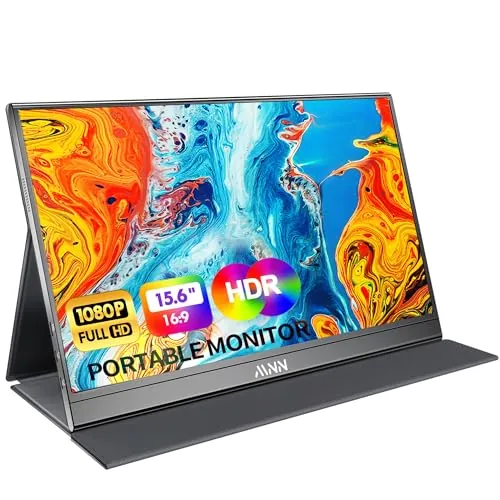
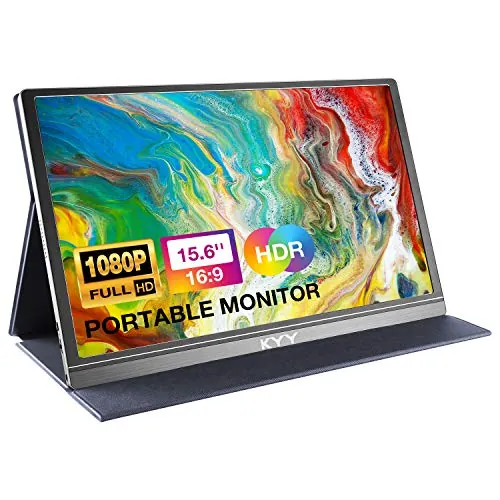
KYY Portable Monitor 15.6inch 1080P FHD (K3)
- Large 15.6-inch matte IPS screen with wide viewing angles for shared viewing.
Comparison
The KYY Portable Monitor is a 15.6-inch 1080p travel-friendly second screen for laptops and consoles, while the Nixplay Digital Picture Frame is a 10.1-inch Wi‑Fi frame designed for sharing and displaying photos/videos at home. KYY focuses on USB‑C/HDMI connectivity and portability; Nixplay focuses on remote uploads, touch control, and “set-and-forget” photo rotation. The better pick depends on whether you need a productivity/gaming display or a connected memory display.
#1 Overall Winner
Contender
Choose the KYY Portable Monitor if you need a budget-friendly second screen for a laptop or console, especially for travel and small desks. Choose the Nixplay Digital Picture Frame if you want a Wi‑Fi photo frame that family can update remotely, with touchscreen control and auto-rotation. Neither is “better” universally—they’re aimed at different everyday home uses.
Overall winner
Depends on your needs
| Feature | KYY Portable Monitor 15.6inch 1080P FHD (K3) | Nixplay Digital Picture Frame 10.1" HD Touch Screen (W10P) | Winner |
|---|---|---|---|
| Primary purpose | Portable external monitor for laptop/console | Wi‑Fi digital photo frame for photos/videos | Depends |
| Screen size | 15.6 in | 10.1 in | KYY Portable Monitor 15.6inch 1080P FHD (K3) |
| Stated resolution | 1920×1080 (FHD) | 720p | KYY Portable Monitor 15.6inch 1080P FHD (K3) |
| Connectivity (wired) | USB‑C (2), mini‑HDMI, 3.5mm audio | Not specified for inputs; designed around Wi‑Fi sharing | KYY Portable Monitor 15.6inch 1080P FHD (K3) |
| Connectivity (wireless) | Not specified | Wi‑Fi | Nixplay Digital Picture Frame 10.1" HD Touch Screen (W10P) |
| Touch controls | On-device controls (menu wheel noted) | Touchscreen | Nixplay Digital Picture Frame 10.1" HD Touch Screen (W10P) |
| Audio | Built-in speakers; 3.5mm audio input | Sound mentioned in reviews (not fully specified) | Depends |
| Power approach | USB power (often via USB‑C); 12W listed | Corded electric | Depends |
| Portability | Very slim; 1.7 lb; travel-focused | 1.1 lb; home placement typical | KYY Portable Monitor 15.6inch 1080P FHD (K3) |
| Stand/placement | PU cover doubles as stand (limited angles) | Frame stand implied; auto-rotation feature | Depends |
| Ease of setup (buyer feedback) | Often plug-and-play; cables included | Often quick guided setup via app/Wi‑Fi | Tie |
| Reliability (buyer feedback) | Mixed; some reports of needing replug or failures | Mixed; some reports it doesn’t work/app issues | Tie |
| Value perception | Frequently called good value at low price | Mixed; some say overpriced, others worth it | KYY Portable Monitor 15.6inch 1080P FHD (K3) |
| Privacy/data considerations | No cloud/app required in provided data | Cloud sharing; encryption/compliance claims stated | Depends |
In everyday home use, the KYY acts like a flexible “utility” screen: you pull it out when you need more workspace for emails, spreadsheets, or a console session, then pack it away. The Nixplay is more like digital décor: it stays plugged in and keeps a room feeling lived-in by rotating family photos and short videos. If your household wants something functional for work and gaming, KYY fits better; if you want a shared family display that updates remotely, Nixplay makes more sense.
Neither product is a dedicated kitchen appliance, but they can support kitchen routines in different ways. The KYY can act as an extra screen for recipes, meal planning, or keeping a video call visible while you cook—provided you have a connected device and a safe place to set it away from splashes. The Nixplay can sit on a counter or shelf to display family photos, but it’s still an electric device in a potentially messy environment. For active “recipe screen” use, KYY is the more practical tool.
For its intended job—acting as a second screen—the KYY tends to perform strongly: reviewers often mention clear picture quality, no noticeable lag or flicker, and the convenience of a single USB‑C connection on supported laptops. It’s also frequently used successfully with consoles. The main performance caveat is device-specific compatibility, where USB‑C video output support can make or break the one-cable experience.
The Nixplay performs best when used as intended: a dedicated photo/video display that family can update remotely. Many buyers report it “just works,” but there are also reports of upload quirks and occasional non-working units, which can disrupt the core experience if you hit a bad edge case.
Both products show a familiar pattern in buyer feedback: many people have a smooth experience, but a noticeable minority report problems. For KYY, reliability concerns include occasional need to unplug and replug, device-specific connection quirks, and some reports that a unit stopped working. Those issues are especially important if you rely on it for travel work where troubleshooting time is limited.
For Nixplay, some reviewers report frames that didn’t work and others mention upload/app friction, including specific edge cases with photos from certain phones. If your use case relies on quick remote uploads, those app/workflow issues matter as much as hardware reliability.
Neither product is a high-risk appliance like a heater, but there are still practical safety considerations. With KYY, the main risks are everyday electronics issues: cable strain on USB‑C/HDMI ports, trip hazards from trailing cables, and safe placement to avoid falls—especially if used on a crowded desk. If you power it from a wall adapter, ensure cables and adapters are not under tension.
With Nixplay, the key considerations are stable placement (to prevent tipping), cable routing for its corded power, and sensible use of scheduling to avoid unnecessary nighttime brightness in bedrooms. No additional safety certifications are provided, so it’s best to follow the included instructions for both.
Comfort is where the use cases diverge. KYY improves “work comfort” by reducing window switching and giving you more space for documents, chats, or timelines, and reviewers mention it’s easier on the eyes for long sessions thanks to flicker-free and blue-light filtering features listed. Nixplay improves “home comfort” by keeping photos and videos visible without effort, and scheduling/activity-sensor features can help it feel less intrusive at night. Choose based on whether you want comfort through productivity or comfort through ambiance.
KYY is generally easy for everyday use because it’s largely plug-and-play, and reviewers appreciate that the needed cables come in the box. The main learning curve is understanding whether your laptop’s USB‑C port supports video output and, for some users, occasional replugging to restore the connection.
Nixplay is designed for guided setup and ongoing remote updates. Many buyers describe it as simple even for older relatives, though some mention that uploading/organizing photos can be a little confusing at first and that certain sharing workflows may require accounts.
The KYY is designed to disappear into a laptop bag: thin profile, matte screen finish, and a cover-stand system that keeps desk setup simple. Its practical design strength is portability, though the stand angles are limited.
Nixplay is designed to look like home décor. The 10.1-inch frame size suits shelves and side tables, and auto-rotation helps it work in portrait or landscape without manual fuss. If you want a travel-first design, KYY fits better; if you want something that blends into a room, Nixplay is the more natural choice.
“Capacity” shows up differently here. The KYY’s capacity is essentially its usable screen real estate: a larger 15.6-inch display that better supports multitasking. The Nixplay’s capacity relates to stored and shared content; reviews mention free and paid plans affecting storage and video features, but exact limits aren’t provided in the supplied data. If you mean workspace capacity, KYY wins; if you mean family-photo capacity, it depends on how much you plan to store and whether you use a paid plan.
KYY is highly space-efficient for flexible setups: it adds a full second screen when you need it, but stores flat when you don’t. That’s useful for small desks, shared workspaces, and travel.
Nixplay is space-efficient in a different way: it can sit on a shelf or side table and doesn’t require desk space or a connected laptop. For a tiny home office, KYY saves you from buying a bulky monitor; for a small living room, Nixplay fits as a compact, decorative display.
Neither product is associated with fan noise in the provided information, and both should be effectively silent in typical use. The KYY includes built-in speakers, so any sound would be your chosen audio rather than operational noise. For bedrooms and quiet home offices, both are generally suitable from a noise standpoint.
KYY “installation” is mainly plug-in setup: connect via USB‑C or mini‑HDMI, and it’s often ready immediately with common laptops. Some users find it works best with a specific plug-in order (for example, connecting after the computer is fully booted), which is more of a workflow tweak than a real installation step.
Nixplay installation is more like onboarding: plug it in, connect to Wi‑Fi, and link it in the app. Reviews often describe this as fast and guided, with the main time cost coming from organizing and uploading initial albums.
KYY is described as lightweight with a metal appearance and includes a PU leather cover that protects the screen in a bag. Reviews call it sturdy for its size, but the cover quality is sometimes described as “good, not great,” suggesting it’s functional more than premium.
Nixplay uses a plastic frame body and is generally described as modern and well put together, with positive comments about looks and sturdiness. Both have some reports of faulty units, so build impressions are good overall but not flawless across all purchases.
Durability signals are mixed for both. KYY’s travel-first design and included cover help protect it in a bag, but frequent packing and cable strain can be tough on ports over time, and there are some reports of devices failing. Nixplay is typically stationary, which can help long-term wear, but it also has reports of faulty units. With either option, careful handling and using the included protection/placement approach will likely have more impact than small differences in materials.
KYY maintenance is minimal: keep the screen clean, store it in the cover, and manage cables/ports to avoid strain. There are no filters, bins, or consumables mentioned, so ongoing upkeep is mostly basic care.
Nixplay maintenance is more “digital”: keeping Wi‑Fi connected, managing albums, and occasionally troubleshooting uploads or app behavior if you run into quirks. If you want the least ongoing management after purchase, KYY tends to be lower-maintenance day to day, while Nixplay may require occasional app/account attention.
KYY is the more portable product in practice: it’s designed to travel, is slim, and reviewers routinely mention backpack use. The included cover also helps it survive commuting and trips.
Nixplay is fairly light, but it’s intended to live as a home display and stay plugged in. You can move it room to room, but it’s not as purpose-built for frequent packing as a portable monitor.
The KYY’s feature set is hardware-focused: dual USB‑C ports, mini‑HDMI input, built-in speakers, a 3.5mm audio input, HDR support as listed, and a smart cover that acts as both protection and a stand. It also supports landscape and portrait use.
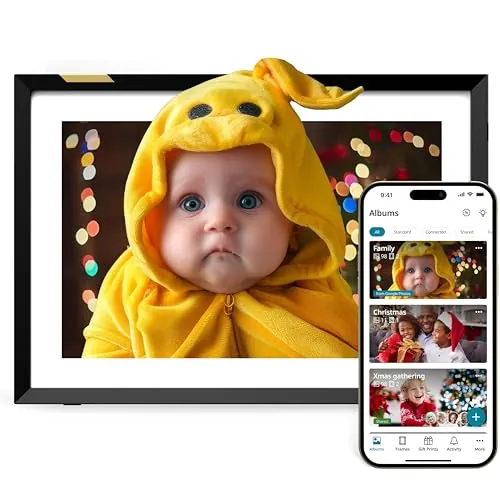
Nixplay’s features are experience-focused: Wi‑Fi sharing via app/web/email (as described), touchscreen control, auto-rotation, scheduling, and an activity sensor. If you want connectivity and inputs for multiple devices, KYY wins; if you want remote photo sharing and automated display behavior, Nixplay is stronger.
The KYY doesn’t require an app based on the provided information, which many users will see as a plus for simplicity and fewer points of failure. Most daily interaction is through your connected device’s settings and the monitor’s on-device controls.
Nixplay’s experience is strongly tied to the app and account workflow. Many reviews say the app works well and uploading is quick, but there are also reports of the app being less intuitive for some users, language limitations mentioned by one reviewer, and occasional upload edge cases that can add friction.
Only the Nixplay is positioned as a connected smart display in the home sense: it uses Wi‑Fi and an app to manage content, with multi-user sharing and features like scheduling/activity-sensor behavior described. The KYY is more of a plug-in accessory for computers and consoles and doesn’t rely on an app or cloud service based on the provided data. If you want remote updates and a shared family experience, Nixplay fits better; if you prefer offline simplicity, KYY is the simpler setup.
Nixplay is the only one with meaningful smart-home-style behavior in the provided data: Wi‑Fi connectivity, app control, multi-user sharing, and “set-and-forget” automation like auto-rotation, scheduling, and an activity sensor. Those features make it better for households that want remote updating and shared access across family members.
KYY is more of a traditional accessory display—smart in the sense that it’s versatile and portable, but it doesn’t rely on an ecosystem, voice assistant, or automation layer based on what’s provided.
Nixplay offers the more relevant automation features: auto-rotation and activity-sensor behavior are positioned to make the frame feel hands-off, and reviews mention scheduling/power timing. That makes it easier to live with every day.
KYY is manual by nature: it turns into a second screen when you plug it in, and you control what appears through the connected device. If you want “always on, always updating,” Nixplay is the better match.
KYY connectivity is centered on physical ports: two full-function USB‑C ports and mini‑HDMI, plus audio, which makes it flexible across laptops and consoles. The biggest connectivity risk is that not all USB‑C ports on laptops support video output, which is where compatibility complaints tend to appear.
Nixplay connectivity is centered on Wi‑Fi and account/app-based pairing. That enables remote uploads and multi-user sharing, but it also means your experience depends on stable Wi‑Fi and the app/service behaving consistently.
KYY lists low-power operation (USB-powered, with power consumption provided) and can often run off a laptop’s USB‑C port, which can be efficient for short sessions but will draw from your device’s battery while traveling. Nixplay is corded and intended to run for long periods, with scheduling/activity-sensor behavior described to reduce unnecessary on-time. Without detailed energy measurements for the frame, it’s hard to call a clear winner; the more “efficient” choice depends on how many hours per day you’ll keep it on.
Privacy is a major difference. The KYY functions as a display for whatever device you connect and does not require cloud accounts or photo-sharing services based on the provided data, which keeps your content flow local to your devices.
Nixplay is built around sharing and cloud delivery of photos/videos. The product description states end-to-end encryption and CCPA/GDPR compliance, which is reassuring, but it still means using accounts and online services. If you’re gifting it to family, consider who will have access and how sharing permissions are managed.
At its listed price, the KYY is frequently described as strong value: you get a large 15.6-inch 1080p screen, multiple connection options, and travel-ready accessories in the box. If your goal is productivity or a portable console screen, it’s hard to ignore the cost-to-screen-size ratio.
Nixplay costs more, but its value is tied to the photo-sharing experience: app/web/email updates, multi-user access, and features like auto-rotation and scheduling/activity sensing. Some buyers feel it’s worth the price, while others call it overpriced—often depending on whether they accept subscription tiers and whether uploads work smoothly for their phone and workflow.
Based on the provided data, Nixplay presents a more clearly defined ecosystem with app support, cloud features, and frequent mention of customer service in reviews (including refunds and troubleshooting). That can translate to higher confidence for a connected product.
KYY receives a lot of praise for value and ease of setup, but there’s less brand-level information beyond product support claims and mixed reliability feedback. If brand ecosystem and long-term service matter, Nixplay appears more established; if you mainly want a simple accessory display, KYY’s brand factor may matter less.
Both products have strong overall star ratings with very high review counts, and both get repeated praise for ease of setup and clear display quality. KYY customers commonly highlight portability, included cables, and value, while also mentioning occasional compatibility issues and mixed reliability (some units failing or needing replugging).
Nixplay customers often praise gifting, remote shareability, and “easy enough for older relatives,” but satisfaction is more split around price and subscriptions. There are also complaints about upload/account friction in some cases. In both cases, expectations and your exact device/workflow can heavily shape satisfaction.
Buyer feedback suggests both companies provide some level of customer service, but the clearest support-related detail in the provided reviews is for Nixplay, where a reviewer described troubleshooting and a refund for a faulty unit. KYY reviews mention supportive service but provide fewer specifics. If support matters, check the seller’s return window and the manufacturer warranty terms before buying.
There isn’t one universal winner because these products serve different households. The KYY Portable Monitor is the better pick for productivity and portable gaming: it gives you a larger 15.6-inch 1080p screen, flexible wired connections, and a travel-ready design at a notably low price. Its main downsides are mixed reports of compatibility quirks and reliability.
The Nixplay Digital Picture Frame is the stronger choice for a connected family display: it’s built around Wi‑Fi sharing, touchscreen use, and hands-off features like auto-rotation and scheduling/activity sensing. Its main limitations are the higher cost, subscription upsells mentioned by buyers, and occasional app/upload friction. Choose KYY for work/play input devices, and Nixplay for effortless memory sharing at home.
Overall winner
Depends on your needs
They’re built for different jobs. The KYY is a 15.6-inch portable monitor meant to extend a laptop or connect to a console over USB‑C/HDMI. The Nixplay is a Wi‑Fi digital photo frame designed for sharing photos and videos through an app/web/email workflow and showing them automatically. Pick based on whether you need a second screen or a memory display.
The KYY is the clearer fit for travel work because it’s designed as a portable external monitor, is slim, and reviewers frequently mention it fits easily in a backpack. It can run from a single USB‑C connection on supported devices, which reduces cable clutter. The Nixplay is lighter, but it’s intended to stay in one place as a plugged-in photo frame.
For quick “plug in and go” use, the KYY is often straightforward when your laptop supports full-function USB‑C, and it includes the needed cables. For ongoing hands-off use, the Nixplay is designed to be set up once and then updated remotely through the app/web/email sharing. Both have some reports of device-specific hiccups, so expectations matter.
Yes, it’s listed as compatible with laptops, smartphones, and consoles like PS4, Xbox, and Nintendo Switch, using USB‑C (when the device supports video over USB‑C) or mini‑HDMI. Reviews mention using it with laptops and an Xbox Series S. If your phone/laptop doesn’t support video output over USB‑C, you may need HDMI or an alternative setup.
Reviews indicate there are free and paid plan options, and some buyers mention upgrading to unlock more storage or longer video support. Whether you need a subscription depends on how you plan to use it (especially video and storage needs). If you dislike ongoing costs, confirm what’s included in the basic plan before buying.
The KYY is the better fit for text-heavy work because it’s a full HD (1920×1080) computer display at 15.6 inches, intended for productivity. The Nixplay is listed at 720p and is optimized for photos and videos rather than detailed desktop work. For home office tasks like spreadsheets, the monitor-style product is typically more practical.
Both products have mostly positive ratings, but each shows some mixed reliability feedback. KYY reviews include occasional reports of needing to unplug/replug and some reports of units stopping working. Nixplay reviews include some reports that units didn’t work and some app/upload friction for certain users. Buying from a seller with an easy return policy can help manage risk.
Value depends on your goal. The KYY is priced much lower and reviewers often call it a strong-value second screen with good picture quality for the money. The Nixplay costs more, but it includes Wi‑Fi sharing features and a gifting-focused experience that a portable monitor doesn’t provide. If you’ll actively share photos to family, the Nixplay’s extra cost may make sense.
The KYY is very space-efficient for a temporary desk setup because it can be packed away and used only when needed. The Nixplay takes less desk depth and can live on a shelf or side table, acting more like décor. If you need functional screen space for work, the KYY tends to help more; for ambient display, Nixplay fits naturally.
Check our rankings and expert guides to find the best home lifestyle products for your goals.