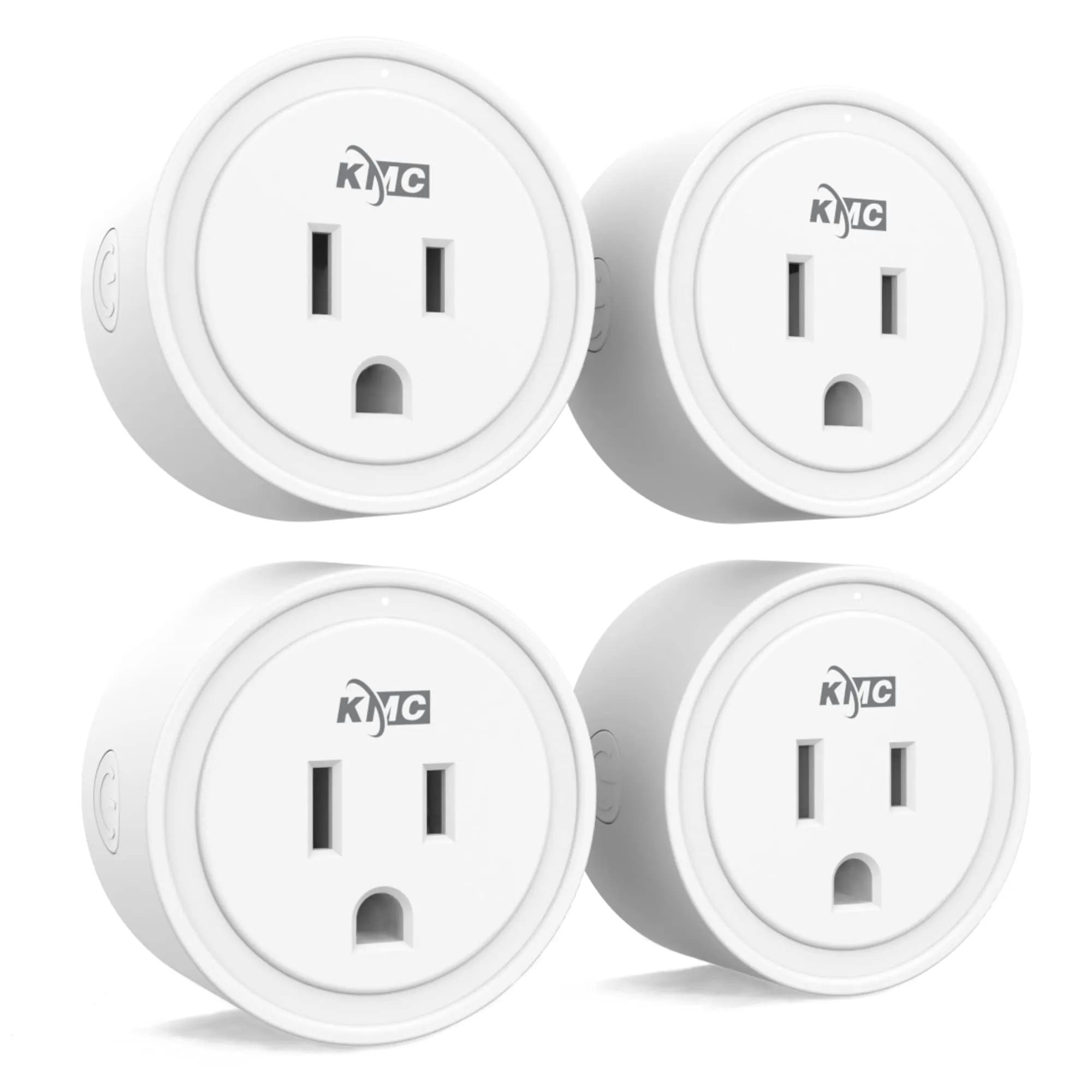
#1 Overall Winner
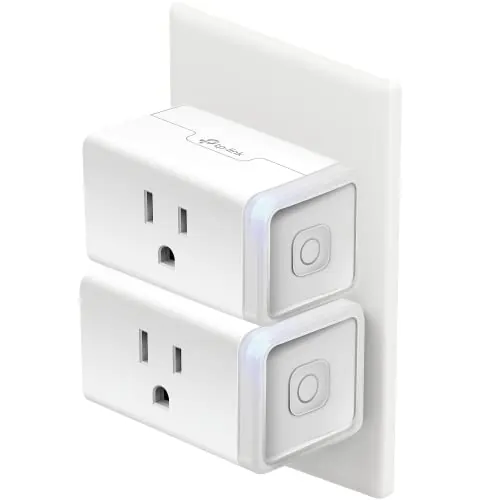
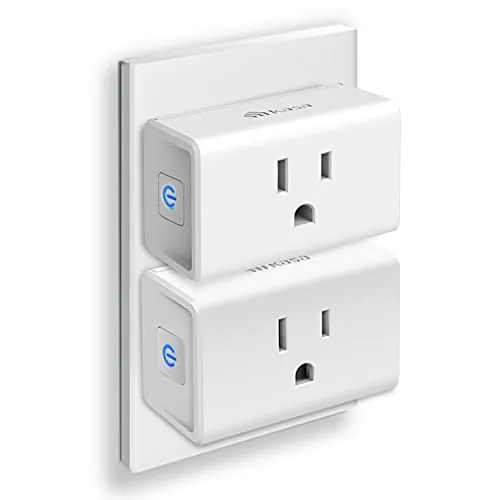
Kasa Smart Plug HS103P2 (2-Pack)
- Very easy setup with clear in-app guidance for pairing to 2.4GHz Wi‑Fi
Comparison
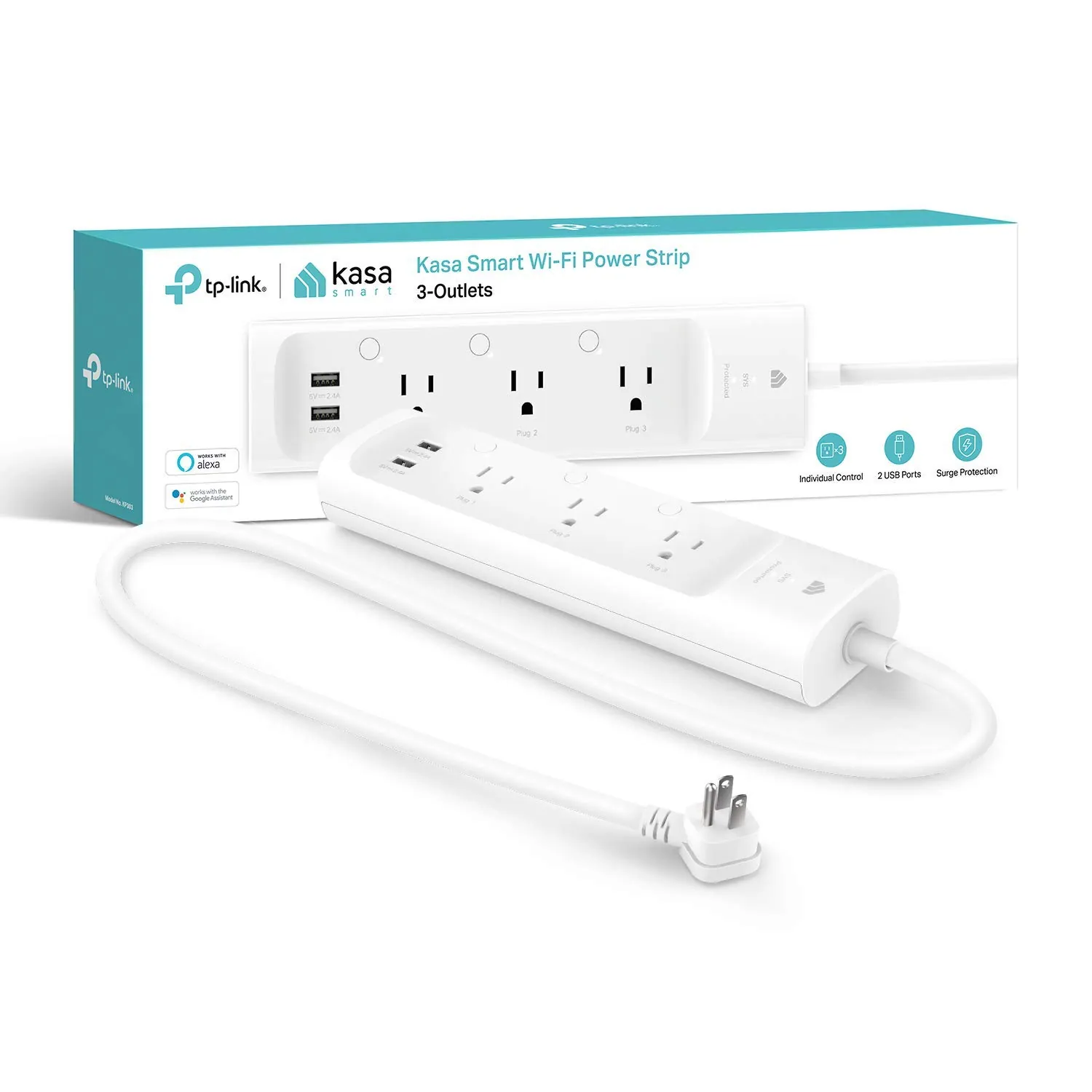
The Kasa HS103P2 is a compact Wi‑Fi smart plug (pack of two) designed to add app and voice control to individual outlets, while the Kasa KP303 is a smart power strip with three independently controlled outlets plus two always-on USB ports and built-in surge protection. Both work with the Kasa app and support Alexa and Google Assistant, but they suit different setups: scattered single devices vs a multi-device station like a desk or TV stand.
#1 Overall Winner
Contender
Choose the Kasa HS103P2 if you want an easy, compact smart plug for a couple of devices in different rooms. Choose the Kasa KP303 if you want to control multiple devices at a desk or entertainment center, and you value having surge protection and USB charging built into one unit. Both support Kasa app control and Alexa/Google voice commands, but both require 2.4GHz Wi‑Fi.
Overall winner
Depends on your needs
| Feature | Kasa Smart Plug HS103P2 (2-Pack) | Kasa Smart Plug Power Strip KP303 | Winner |
|---|---|---|---|
| Type | Single smart plug (2-pack) | Smart power strip | Depends |
| Individually controlled outlets | 1 per plug | 3 outlets independently controlled | Kasa Smart Plug Power Strip KP303 |
| USB charging | No USB ports listed | 2 USB ports (always on) | Kasa Smart Plug Power Strip KP303 |
| Surge protection | Not listed | Listed surge protection (ETL-certified) | Kasa Smart Plug Power Strip KP303 |
| Voice assistant support | Alexa, Google Assistant (listed) | Alexa, Google Assistant (listed) | Tie |
| Hub requirement | No hub required | No hub required | Tie |
| Wi‑Fi requirement | 2.4GHz required | 2.4GHz required | Tie |
| Load / amperage (listed) | 15A resistive @ 120VAC (listed) | 10.5A (listed) | Kasa Smart Plug HS103P2 (2-Pack) |
| Manual control | Side button per plug | Buttons per outlet + LEDs | Kasa Smart Plug Power Strip KP303 |
| Space use / placement | Small plug body; fits many wall outlets | Strip footprint; good behind desks/TV stands | Depends |
| Connectivity feedback (reviews) | Mixed: some stable, some Wi‑Fi issues/early failure reports | Mixed: some stable, some disconnects/unreachable until reset | Tie |
| Value for multi-device control | Good value as a 2-pack for two devices | Good value if you need 3 smart outlets + USB + surge | Depends |
In everyday home use, the HS103P2 is best when you want to “sprinkle” smart control around the house—one plug behind a lamp, another on a humidifier, and so on—without changing your layout. The KP303 fits better when several devices live in one area (TV stand, desk, bedside), because you can control three outlets independently in the same physical footprint and still keep chargers running from the USB ports.
Both can be used for simple kitchen routines where on/off control is appropriate (for example, lamps, small electronics, or seasonal lighting). The KP303 is more convenient for a countertop or coffee station only if you have multiple devices in one place and want independent outlet control; however, be mindful of the strip’s listed amperage and avoid pairing high-draw appliances. The HS103P2 is better when you only need to automate one device at a time in different locations.
For comfort-related devices like fans, humidifiers, or heating pads, both products can help by adding schedules and remote shutoff. HS103P2 works well when you want to control one comfort device per outlet. KP303 can manage multiple comfort items near a bed or sofa and can add peace of mind through routines (for example, scheduling an auto shutoff). As always, match the device load to the plug/strip ratings listed on the product.
For basic smart switching—turning outlets on/off on demand and following schedules—both products generally perform well based on their strong buyer ratings and recurring praise for responsiveness. The HS103P2 is often described as quick to set up and reliable for routine automation, though some buyers report Wi‑Fi connection issues or units that stop working over time. The KP303 performs well when you need independent control of multiple devices, but reviews also mention occasional cases where it becomes unreachable in the app until it’s reset, even if the strip appears connected.
Both products have very high overall buyer satisfaction, but reliability isn’t perfectly consistent across all households. HS103P2 reviews include mixed reports: many users say it stays connected and works reliably, while others report Wi‑Fi connection issues and some cases where it stops working after a short time. KP303 reviews similarly include strong “works great” feedback, alongside occasional reports of the strip becoming unresponsive in the app despite indicating it’s connected, sometimes requiring an unplug/replug reset—especially after outages.
Safety comes down to using each product within its listed electrical limits and choosing the right form factor for the devices you’re powering. The HS103P2 listing mentions UL certification and a resistive load rating, which helps when you’re matching it to typical household loads like lamps and small appliances. The KP303 listing highlights surge protection (ETL-certified as listed), which can be valuable for electronics. Both should be used carefully with higher-draw devices—especially when multiple items share one strip—and neither eliminates the need for sensible cable management and avoiding overloaded outlets.
Both can improve daily comfort by reducing small annoyances: turning lamps on before you arrive, shutting devices off from bed, or keeping comfort devices on a predictable schedule. HS103P2 is great for single comfort devices (like a fan or humidifier) in different rooms. KP303 can make a bedside or living-room setup feel more streamlined by grouping several devices under one controllable strip and letting you build simple “all off” routines.
HS103P2 tends to be the simplest day-to-day: plug it in, add it in the Kasa app, and use voice commands or schedules. KP303 is also generally easy, but some users report setup friction on networks that need a dedicated 2.4GHz SSID or extra steps beyond the quick-start sheet. Once configured, both are easy to control in the app and via Alexa/Google, with physical buttons as a fallback.
The HS103P2 design is about keeping things compact at the wall outlet; it’s easy to place behind furniture, though some users wish smart plugs were even smaller for tight power bars. The KP303 is designed to sit along a wall or behind a desk, giving you three controllable outlets in one rectangle strip plus two USB ports. KP303’s per-outlet LEDs help with visibility, but in darker rooms any indicator lights can be a consideration depending on placement.
KP303 clearly has higher “device capacity” for a single location, with three controllable outlets plus two USB ports for charging. HS103P2 is sold as a two-pack, so it can control two separate outlet locations (or two devices in one area if you have two sockets available). If you’re trying to automate multiple devices in one spot, KP303 reduces the need to buy and manage several individual smart plugs.
Space efficiency depends on layout. HS103P2 is efficient when you only need smart control for a couple of devices and want to keep countertops and floors clear. KP303 is more space-efficient in a single “cable hub” area because one strip replaces multiple plugs and can reduce adapter clutter, while also adding USB charging. If wall outlet access is tight behind furniture, the strip can be easier to position than several bulky plug adapters.
Noise isn’t a major factor for either, but smart plugs and strips can produce an audible relay “click” when switching. HS103P2 reviews include a mention of a noticeable click during activation/deactivation, which is typical for many smart switches. If you plan to automate devices in a quiet bedroom, consider whether switching sounds or indicator LEDs could be noticeable at night.
Neither requires physical installation beyond plugging in, but both require app setup and 2.4GHz Wi‑Fi pairing. HS103P2 setup is widely described as quick with strong in-app guidance. KP303 setup is often easy as well, but some users report needing extra troubleshooting with band steering or combined SSIDs, and one review specifically notes the included instructions weren’t sufficient. If your router setup is complex, plan a few extra minutes.
Both products are generally viewed as solid and practical, with no standout material advantages indicated in the listings beyond typical plastic housings. KP303 reviews more often mention a “solid” feel and the usefulness of per-outlet buttons/LEDs, while HS103P2 feedback includes occasional concerns about units stopping working after a short period for some buyers. Neither listing provides detailed materials or replaceable-part info beyond basic specs.
Long-term durability signals are mixed mainly due to reliability comments rather than reported physical breakage. HS103P2 has some buyer reports of units failing early, which can impact confidence for long-term use even though many others use multiple plugs for years. KP303 reviews include comments about lasting for years, but also mention occasional glitches that require reconnection or a reset, which is more of an operational durability concern than a physical one.
Maintenance is light for both products: there are no filters or consumables indicated. Most “maintenance” is software and connectivity related—keeping your 2.4GHz Wi‑Fi available, occasionally re-pairing after router changes, and using the physical buttons when needed. KP303 may require slightly more organization because it has three outlets to label and manage in the app, but it can also reduce overall device count versus using multiple individual plugs.
The HS103P2 is more portable: it’s small, easy to move between rooms, and simple to pack for temporary setups. The KP303 is still moveable, but it’s a larger strip designed to live with a workstation or entertainment cluster. If you frequently rearrange rooms or want to automate devices in multiple places, individual plugs are generally easier to redeploy than a dedicated strip.
The HS103P2 focuses on the essentials: remote on/off, voice control, and scheduling/timers for one outlet per plug, plus an on-device button. The KP303 expands the feature set for a single location with three independently controlled outlets, per-outlet buttons and status LEDs, and two built-in USB ports that stay on. KP303 also lists surge protection, which can matter for desks and entertainment centers where sensitive electronics are common.
Both rely on the Kasa app for setup, remote control, and schedules. HS103P2 feedback is generally positive about the app’s guidance, but there are mentions of UI/readability issues and a timer workflow that can feel a bit clunky for some users. KP303 app feedback is often favorable for organizing and controlling multiple outlets, though some users mention the included instructions don’t fully cover edge-case router setups, making app-led setup more time-consuming in those homes.
Both products are designed for smart home routines: app control, schedules, and voice control through Alexa and Google Assistant, with no hub required. The HS103P2 is a straightforward building block for automations across rooms, while the KP303 is more “room station” oriented—one device in the app that represents three controllable outlets. If you’re organizing many devices, KP303’s outlet grouping and naming can reduce app clutter, but either can work well in Kasa-based setups.
As smart home accessories, both products integrate into common voice-assistant routines and app schedules without needing a hub. HS103P2 is ideal for distributing control room-by-room and is frequently used for lighting routines and timers. KP303 is better for “scene” style control at a single station because each of the three outlets can be named and automated separately, while the USB ports stay always on for charging. Both depend on stable 2.4GHz Wi‑Fi for app and voice control.
Automation is a strong point for both: schedules, timers, and voice-assistant routines are central to how they’re used. HS103P2 is commonly used for sunrise/sunset-style routines and simple daily on/off schedules for single devices. KP303 supports automation per outlet, which is useful when you want different devices (lamp, diffuser, monitor) to follow different schedules while still living on one power strip.
Both products require 2.4GHz Wi‑Fi, which is a common cause of setup hiccups on modern dual-band routers. Reviews for each include mixed connectivity feedback: many users report stable connections, while others report occasional disconnects or difficulty joining Wi‑Fi. KP303 reviews include cases where the strip appears connected but becomes unreachable from the app until unplugged and restarted. HS103P2 reviews also include reports of Wi‑Fi trouble for some networks.
Neither product provides direct energy monitoring in the provided data, so efficiency is mostly about practical control—using schedules and routines to avoid leaving devices on when you don’t need them. Both make it easier to shut devices off remotely and run predictable timers. KP303 is particularly suited to reducing “always on” chargers and electronics at a desk or entertainment center by letting you switch specific outlets off while leaving the USB charging available.
Both products are app-controlled smart devices, which generally means remote control features depend on account/app access. The provided data doesn’t specify storage, encryption, or detailed privacy controls, so the practical takeaway is to use strong passwords, keep your phone secured, and be mindful of who has access to your smart home accounts. If privacy is a priority, consider limiting device sharing and reviewing app permissions during setup.
Value depends on how many devices you want to automate and where they are. The HS103P2 is typically strong value when you just need two controllable outlets in different spots, especially for lighting routines and simple schedules. The KP303 costs more upfront, but it can replace the need for three separate smart plugs in one area and adds surge protection and USB charging convenience. However, if you don’t need the extra outlets or surge protection, the strip’s added cost may not translate into better day-to-day value.
Both products are from the same Kasa/TP-Link ecosystem, so brand trust factors are largely shared: similar app experience, similar voice assistant integrations, and broadly similar support expectations. Reviews for both include positive comments about the ecosystem and ease of adding multiple devices. There are also some notes about incomplete instructions (particularly for KP303 setup in certain network environments), suggesting documentation quality can matter if your router configuration is less straightforward.
Customer satisfaction is strong for both products, with the same star rating overall and many reviews highlighting convenience, scheduling, and Alexa/Google integration. HS103P2 has a much larger review volume, and recurring positives include easy setup and reliable routines; recurring negatives include mixed Wi‑Fi connectivity experiences and occasional reports of units failing after a short time. KP303 reviews commonly praise independent outlet control and surge protection, while the most repeated complaint is occasional Wi‑Fi disconnects or becoming unreachable until reset.
Overall, the better pick depends on your layout, but the HS103P2 edges ahead as the simpler, higher-value way to add smart control to a couple of devices around the home. Its main strength is straightforward setup and day-to-day scheduling for individual outlets; its main limitation is mixed reports of Wi‑Fi issues or early failure for some buyers.
The KP303 is the more capable “station” option: its main strength is managing three devices independently in one place, with added USB charging and listed surge protection. Its main limitation is that some users experience occasional network unresponsiveness that may require a reset, and it still depends on 2.4GHz Wi‑Fi. Pick based on whether you need distributed plugs or centralized control.

Overall winner
Depends on your needs
If you only need to automate one or two devices in different rooms, the HS103P2 (2-pack) is usually the simpler, lower-clutter choice. If you want to control multiple devices in one place—like a desk or TV stand—the KP303 is more convenient thanks to three independently controlled outlets plus USB charging. Both support Kasa app control and Alexa/Google voice commands.
The KP303 is generally a better fit for desks because it can manage several items (monitor, lamp, speakers) from one strip, and it adds two always-on USB ports for phones or accessories. The HS103P2 can still work well, but you may need multiple plugs to achieve the same “one station” control, which can take up more outlets.
Yes. Both the HS103P2 smart plug and the KP303 power strip specify a 2.4GHz Wi‑Fi requirement. If your router uses band steering or only exposes a 5GHz network name, setup can take extra steps. Several reviews mention that once connected they work well, but initial network configuration can be the sticking point.
Buyer feedback for both products is mixed on connectivity. Many users report stable daily use, but some report Wi‑Fi connection problems or devices becoming unreachable in the app. KP303 reviews include occasional cases where it appears connected but won’t respond until unplugged and restarted. HS103P2 feedback also includes reports of early failure or inconsistent long-term behavior for some households.
The HS103P2 is widely described as very straightforward: plug in, pair in the Kasa app, and add voice control. The KP303 is also often easy, but some reviews mention the included instructions weren’t enough for certain router setups, requiring additional troubleshooting. Day to day, both let you use schedules, timers, and quick manual buttons.
No. The KP303 lists two USB ports that are always on, while the three AC outlets are the ones you can control individually in the app and via voice assistants. If you need USB charging to follow a schedule, you’d need to plug a USB charger into one of the controllable outlets instead of relying on the built-in USB ports.
Both can work well because each supports schedules and remote control. The HS103P2 is convenient when decorations are spread around the home and you want a plug at each location. The KP303 is useful when multiple decoration items are clustered near one spot (like a Christmas tree plus nearby lights), since you can control separate outlets independently from one strip.
It can be. The KP303 lists ETL-certified surge protection, which is helpful for protecting electronics from power surges. The HS103P2 listing focuses on smart control and safety certification (UL listed in the product details) but does not list surge protection. If you’re powering sensitive electronics at a desk or entertainment center, surge protection may be a practical advantage.
Check our rankings and expert guides to find the best home lifestyle products for your goals.