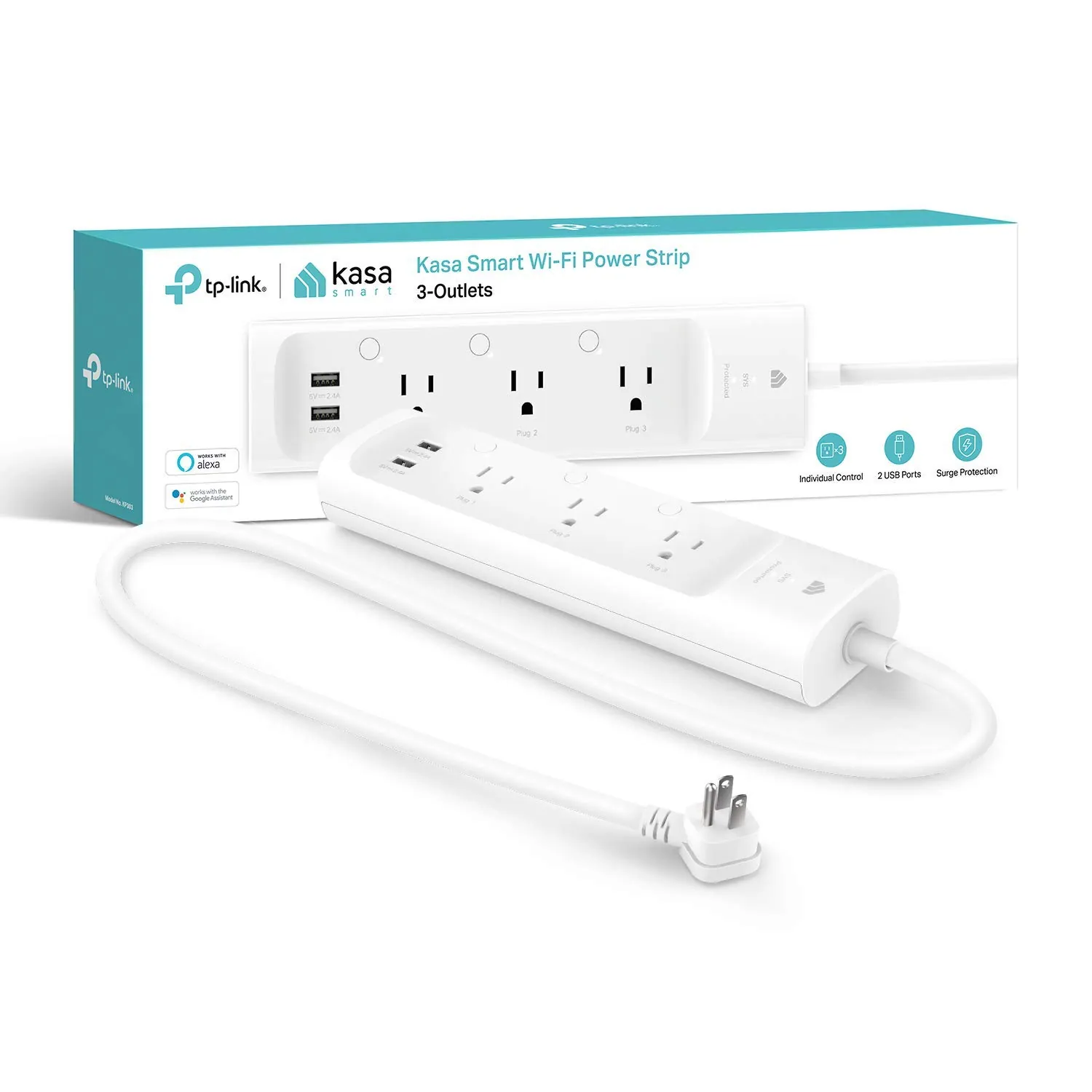
#1 Overall Winner
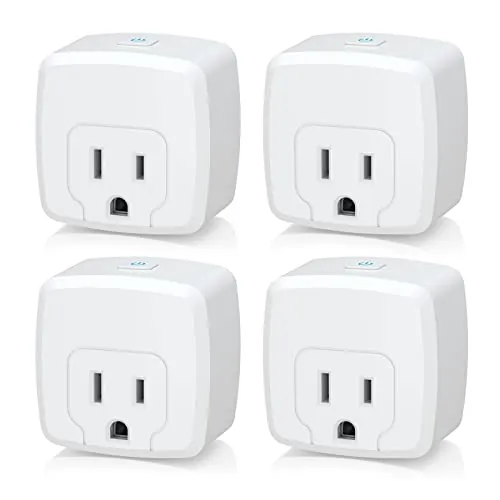
HBN Smart Plug Mini 15A (4-Pack)
- High current capacity for typical household loads (15A / 1875W listed).
Comparison
The HBN Smart Plug Mini 15A (4-pack) and Kasa Smart Plug HS103P2 (2-pack) both add app and voice control to standard outlets for lamps, fans, and small appliances. The biggest practical differences are pack size, setup/app experience, and how compact each plug is in crowded outlets. Based on buyer feedback and scoring, Kasa is usually the smoother choice, while HBN can make sense when you want more plugs in one purchase.
#1 Overall Winner
Contender
Choose the Kasa HS103P2 if you want the easiest setup, strong app guidance, and a compact plug that’s less likely to block adjacent outlets. Choose the HBN Smart Plug Mini 15A if you want a 4-pack for whole-home basics and you’re okay with more mixed reports on instructions and connectivity. Both work for simple schedules and voice control once configured.
Overall winner
Depends on your needs
| Feature | HBN Smart Plug Mini 15A (4-Pack) | Kasa Smart Plug HS103P2 (2-Pack) | Winner |
|---|---|---|---|
| Type | Wi‑Fi smart plug (plug-in outlet) | Wi‑Fi smart plug (plug-in outlet) | Tie |
| Pack size | 4-pack | 2-pack | Depends |
| Max stated load | 15A, 1875W (listed) | 15A resistive @ 120VAC (listed) | Tie |
| Voice assistants (listed) | Alexa, Google Assistant | Alexa, Google Assistant | Tie |
| Smart home integrations beyond voice | Not specified beyond Alexa/Google | IFTTT (listed) | Kasa Smart Plug HS103P2 (2-Pack) |
| App experience (buyer feedback) | Mixed; instructions often criticized | Mostly positive; some UI/readability complaints | Kasa Smart Plug HS103P2 (2-Pack) |
| Connectivity consistency (buyer feedback) | Mixed; some connection failures reported | Mixed; many stable reports, some Wi‑Fi issues reported | Kasa Smart Plug HS103P2 (2-Pack) |
| Physical size / outlet clearance | Larger body; can block adjacent outlet (reported) | More compact dimensions (listed) | Kasa Smart Plug HS103P2 (2-Pack) |
| Safety certification (listed) | ETL | UL | Tie |
| Controls on device | Push button (listed) | Side button toggle (listed) | Tie |
| Best for large holiday-light setups | Good fit due to 4-pack and grouping | Good fit, but fewer plugs per box | Depends |
| Review volume & satisfaction | High review count; good but mixed setup sentiment | Very high review count; higher overall sentiment | Kasa Smart Plug HS103P2 (2-Pack) |
For everyday home routines, both plugs handle the core job: turning devices on/off remotely and running schedules so you don’t have to reach behind furniture. Kasa tends to feel more “set and forget” thanks to consistently reported easy setup and stable routines, while HBN is often fine once configured but has more mixed feedback on pairing, instructions, and reconnecting after network changes. If you’re automating multiple rooms at once, HBN’s 4-pack is convenient; if you’re prioritizing fewer headaches, Kasa is usually the better fit.
Both plugs can support comfort routines indirectly by automating fans, humidifiers, or small heaters (within the device’s safe operating limits and the plug’s stated load). Kasa reviews more often mention dependable scheduling behavior for daily routines, which is useful for things like timed humidifier runs or morning/evening fan control. HBN can do similar scheduling, but mixed setup/connectivity feedback means it may take more effort to get a stable routine running in some homes.
For core performance (turning outlets on/off quickly and running schedules), both plugs generally do the job, but Kasa appears more consistent across a wider set of buyer experiences. Multiple Kasa reviews describe fast response times and dependable execution of routines once installed. HBN reviews are more split: many users report stable operation after setup, while others run into pairing problems or confusing setup steps, and one reviewer described unexpected shutoffs on a dual-outlet setup. If performance to you means “works every time without tinkering,” Kasa has the clearer edge.
Reliability is where the differences matter most in daily use. Kasa has a large base of buyers reporting stable operation and consistent schedule execution, but there are still some reports of Wi‑Fi connection problems or a unit stopping after a short period. HBN reliability feedback is more mixed: many users say it works well once configured, but there are recurring mentions of connection trouble, unclear setup steps, and at least one report of unexpected shutoffs on a dual-lamp setup. If you want the lowest risk of setup frustration, Kasa is the better bet.
Neither plug controls temperature directly, but both can automate comfort devices like fans or humidifiers on a timer. Kasa appears better suited to dependable, repeatable schedules, which matters if you’re trying to run a humidifier for set blocks of time or ensure a fan turns off after you fall asleep. HBN supports similar timers and scheduling, but buyer feedback shows more variability in getting a stable connection and smooth setup, which can affect how reliably your comfort routine runs.
Both products list third-party safety certification (HBN: ETL; Kasa: UL), which is a positive baseline for a device that switches mains power. That said, safe use still depends on matching the plug to the load you’re controlling and keeping it in appropriate indoor conditions (HBN lists an IP00 rating, indicating no special ingress protection). Some HBN feedback mentions unexpected shutoffs, which could be a protective behavior or a faulty unit; either way, it’s a reminder to test with your intended devices and monitor the first few days of use.
Comfort benefits mostly come from convenience: not having to reach awkward outlets, having lights come on before you arrive home, and keeping routines consistent. Kasa’s stronger ease-of-use and scheduling feedback makes it easier to achieve that “set it once” comfort factor, especially for daily lighting or plant lights. HBN can provide the same comfort once configured, and the 4-pack makes it easier to automate multiple rooms, but setup friction can reduce the immediate convenience for some users.
Kasa is easier for most users: the Kasa app is repeatedly described as guided and quick to set up, and many buyers say adding additional plugs becomes simple after the first one. HBN can be straightforward, but the instructions and pairing steps get more negative mentions, and some users report difficulty connecting or having to re-add plugs after network changes. If you want minimal learning curve, Kasa is the better choice.
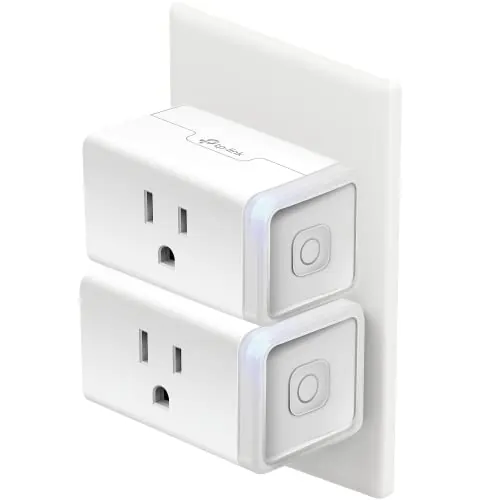
Kasa’s listed dimensions are smaller, and users commonly describe it as compact, which helps when using both sockets on a wall outlet or fitting in tight areas. HBN’s design is functional and includes a push button, but multiple comments point to it occupying more space and limiting adjacent socket access depending on orientation. If you’re placing plugs behind a sofa, dresser, or on a power strip, Kasa’s size advantage is the more practical design win.
Both plugs are designed around typical household outlet loads, and both list 15A capability. HBN also lists a wattage figure (1875W) and a 125V operating voltage, while Kasa specifies 15A resistive at 120VAC for its newer version. In real use, “capacity” should be matched to what you’re controlling (for example, resistive vs motor loads) and your local electrical standards; neither dataset here provides deeper load-type guidance beyond what’s stated.
Kasa is the better choice for space efficiency. Its smaller listed dimensions and “compact design” positioning make it easier to use two plugs side-by-side on a duplex outlet or on a crowded power strip. HBN users more often mention the plug taking up space and limiting adjacent socket access. If you live in a flat, use power strips, or have wall outlets hidden behind furniture, Kasa’s footprint is a meaningful practical advantage.
Smart plugs are typically quiet, but they can make a relay-style click when switching. Kasa reviewers explicitly mention a noticeable click when turning on/off, which is normal for many plugs but can be distracting in a quiet bedroom. HBN reviews provided don’t focus on switching noise. If you’re sensitive to sound at night, expect Kasa to click and consider placing the controlled device (like a lamp) on a schedule that avoids switching during sleep.
Neither product requires physical installation beyond plugging in, but setup time varies. Kasa’s onboarding is widely described as quick and guided, usually taking only minutes per plug once you understand the flow. HBN setup is more inconsistent: some users find it fast, while others struggle with unclear instructions or pairing mode steps. For a multi-plug rollout across a home, Kasa is more likely to feel painless.
Both plugs are compact, plastic-bodied devices intended for indoor outlet use. HBN reviews include positive comments about feeling sturdy, while Kasa’s long-running popularity suggests a mature product line, though neither dataset here provides detailed materials testing or teardown-level evidence. Practically, the more relevant “build” factors are fit and button usability: Kasa’s smaller footprint tends to be easier on crowded outlets, while HBN is more often mentioned as taking up space.
Long-term durability is hard to guarantee from listings alone, but buyer patterns provide clues. Kasa has scattered reports of early failure, yet many long-term users run numerous plugs across the home without issues. HBN also has users reporting solid operation over time, though connectivity and setup friction appears more common in feedback. If you’re buying for a “set-and-forget for years” goal, Kasa’s broader track record and stronger overall sentiment is reassuring, but either product can have occasional defective units.
Maintenance is minimal for both: there are no filters, tanks, or moving parts to clean. Typical upkeep is occasional app updates, renaming devices, and adjusting schedules when seasons change. Kasa’s guided app experience makes routine edits straightforward for most users. HBN can be equally low-maintenance once stable, but reviews suggest that network changes (like replacing a router) can force a more time-consuming re-add and reconfiguration process, increasing “maintenance” in the real world.
Both are highly portable because they’re plug-in devices you can move room to room without tools. Kasa has an advantage for portability in tight spaces due to its smaller dimensions and generally compact fit. HBN is still easy to relocate, but if it blocks adjacent outlets or is harder to fit behind furniture, it can be less convenient to move around when you’re experimenting with different automation ideas.
Both smart plugs cover the essentials: remote control, timers, and schedules, plus Alexa/Google voice control. HBN highlights group control and family sharing, which is helpful if multiple people manage the same devices. Kasa’s listing adds IFTTT support, and reviews frequently describe building routines across a wider smart home setup. Neither product data here confirms energy monitoring or advanced power-usage reporting, so treat them as on/off automation tools rather than analytics devices.
Kasa’s app experience is more consistently described as user-friendly and guided, which reduces friction during initial setup and when adding multiple plugs. There are still complaints (such as faint wording or UI readability), but most feedback remains positive. HBN’s app can work well, but the aggregated feedback calls out unclear instructions and a more uneven setup experience. If you value a polished onboarding flow, Kasa has the advantage.
Both products are designed for smart home basics: app control, schedules, and voice commands through Alexa or Google Assistant. Kasa has an advantage in the broader ecosystem story because IFTTT is explicitly listed and reviewers mention smooth integration into larger smart home routines. HBN offers practical features like group control and family sharing, but reviews suggest the app and onboarding experience can be less predictable, especially when changing routers or re-adding devices.
For smart home routines, both work as basic “power on/off” endpoints that can be called by voice assistants and scheduled in their apps. Kasa has the stronger ecosystem posture in the provided data: IFTTT is listed, and reviewers mention linking into broader setups and routines. HBN’s family sharing and group control are useful for shared households, but the mixed connectivity/setup feedback suggests you may spend more time troubleshooting before you reach a fully automated, hands-off setup.
Both plugs support schedules and timers for hands-off automation. Kasa gets more detailed praise for routine-based usage (including timing around sunrise/sunset and integrating into broader smart home behavior), while HBN emphasizes grouping and family sharing to control multiple outlets together. If your main goal is simple daily schedules, either can work; if you want deeper routine flexibility and smoother setup, Kasa is usually easier to automate with consistently.
Both plugs are 2.4GHz Wi‑Fi devices, so reliable connectivity depends on your router setup, signal strength, and how your network handles IoT devices. Kasa has many reports of stable connections, but some users still experience Wi‑Fi issues or early failures. HBN’s connectivity feedback is more polarized, with some buyers reporting devices that won’t connect and reviewers noting extra hassle when changing routers. If your Wi‑Fi is complex (mesh, band steering, frequent router swaps), Kasa is typically the safer choice.
Neither product provides detailed energy metering data in the provided information, so efficiency here is mostly about operational practicality: reliable scheduling to avoid leaving devices on longer than needed. Kasa gets more consistent praise for schedules and routine execution (including sunrise/sunset-style behavior mentioned by users), which can help reduce wasted runtime. HBN also supports schedules, but mixed setup/connectivity feedback may reduce how “hands-off” it feels for some households.
Both products rely on an app for remote control, which typically implies account/app permissions and cloud connectivity, but the provided data doesn’t detail what data is collected, where it’s stored, or whether local-only control is available. Kasa has stronger privacy/security scoring in the provided dataset, but without explicit policy details here, treat both as internet-connected devices and use good practices: strong Wi‑Fi password, separate IoT network if available, and keep firmware/apps updated.
Value comes down to how many plugs you need and how much time you’re willing to spend on setup. HBN’s 4-pack can be cost-effective for outfitting several outlets at once, but mixed feedback on instructions and connectivity can add “hidden cost” in time spent troubleshooting or reconfiguring. Kasa’s 2-pack is often the better value for households prioritizing smooth setup, compact size, and broadly positive buyer satisfaction—especially if you’re starting small and want to avoid return/exchange hassle.
Based on the provided data, Kasa (TP-Link) benefits from strong brand recognition in reviews and a very large user base, which can increase confidence in app continuity and ecosystem support over time. HBN has a substantial review count as well, but the feedback includes more confusion around instructions and app/setup consistency. If brand track record and long-term platform stability matter to you, Kasa has the clearer edge in this dataset.
Both products are well-reviewed overall, but Kasa’s customer satisfaction is stronger and backed by a very large volume of reviews. Kasa buyers consistently praise easy setup, dependable schedules, and smooth Alexa/Google control, with recurring minor complaints about app UI readability, LED brightness, and some connectivity/early-failure outliers. HBN buyers often like the core functionality and multi-plug coverage, but complaints cluster around pairing difficulties, unclear instructions, and occasional connection problems. In aggregate, Kasa earns the more consistent sentiment.
Neither product provides clear, detailed warranty terms in the supplied data beyond general statements. HBN’s listing references “warranty” but does not specify length or process here, and Kasa includes a quick start guide and general positioning as trusted/reliable without explicit warranty details. If warranty and support are a priority, check the official warranty length, return window, and how replacements are handled before buying.
Between these two Wi‑Fi smart plugs, Kasa Smart Plug HS103P2 is the stronger overall choice for most households. Its main strengths are consistently easy setup, a compact design that plays nicer with crowded outlets, and very strong buyer sentiment around schedules and voice control. Its main drawbacks are minor app/UI complaints, a bright LED in some setups, and a small number of reports of Wi‑Fi or early-failure issues.
The HBN Smart Plug Mini 15A’s biggest strength is the convenient 4-pack paired with solid core features like scheduling, groups, and family sharing. Its main limitation is a more uneven setup/connectivity experience and unclear instructions reported by some buyers. If you want fewer headaches, choose Kasa; if you mainly want more plugs per purchase and can tolerate setup variability, HBN can still be a workable option.

Overall winner
Depends on your needs
For most households, the Kasa Smart Plug HS103P2 is the safer “default” pick because buyer feedback is more consistent around easy setup, app guidance, and overall day-to-day reliability. The HBN Smart Plug Mini 15A can still be a good choice if you want a larger multi-pack and you’re comfortable spending a bit more time on setup if your network or router configuration is finicky.
Yes. Both listings state compatibility with Alexa and Google Assistant for voice control. In practice, users for both products frequently mention successful voice control once the plugs are connected in the app. If you want the smoothest initial onboarding experience, Kasa reviews more often highlight straightforward discovery and control through Alexa routines after setup.
No hub is required for either product according to their listings. Both connect directly to your home Wi‑Fi and are managed through their respective phone apps. Keep in mind that both are designed for 2.4GHz Wi‑Fi; if your phone is on a different band during setup, that can be a common source of pairing frustration for some users.
Kasa HS103P2 tends to be easier for most people. Reviews repeatedly describe the Kasa app as guided and quick to connect, while the HBN plug gets mixed feedback: many users find it simple, but others report unclear instructions and occasional difficulty getting the device into pairing mode or connecting reliably. If you’re setting up many plugs at once, that difference can matter.
Kasa HS103P2 is typically the better fit for tight outlets. Its listed dimensions are smaller, and users commonly describe it as compact. With HBN, some reviewers specifically mention the plug taking up space and making it harder to use adjacent sockets. If you’re using a crowded power strip or a wall plate with two outlets, size can be a deciding factor.
Some Kasa reviewers report that schedules continue to run even when the internet is down, although remote control from the app won’t work without connectivity. For the HBN plug, the provided review data focuses more on setup and network changes than offline behavior. If offline scheduling is critical for you, verify it during your return window with a simple on/off schedule test.
Both have some mixed feedback on connectivity, but it shows up more prominently in the HBN summary and reviews (including reports of devices not connecting). Kasa also has some reports of Wi‑Fi trouble or a unit failing after a short period, though many buyers say it stays connected reliably. Your router, signal strength, and 2.4GHz configuration can heavily influence results.
Value depends on how many outlets you need to automate and how much you prioritize a smoother setup. HBN’s 4-pack can be attractive if you want to cover multiple lamps or seasonal displays at once. Kasa’s 2-pack often wins on overall experience and long-term satisfaction in buyer feedback, which can matter more than cost if you want to avoid troubleshooting.
Check our rankings and expert guides to find the best home lifestyle products for your goals.